
You depend on your devices every day, but have you ever thought about how they stay cool? A heat dissipation fan is essential for keeping electronics and machinery safe by actively moving heat away from sensitive components. When heat builds up, it can lead to part failures or shorten the lifespan of your equipment. By using a heat dissipation fan, you benefit from improved overheating prevention, extended equipment life, and reduced maintenance costs. Check out this quick comparison:
| Aspect | With Heat Dissipation Fan | Without Heat Dissipation Fan |
|---|---|---|
| Lifespan | Significantly increased | Reduced |
| Overheating Prevention | Yes | No |
| Maintenance Costs | Lower | Higher |
While cabinet fans help with airflow inside enclosures, a heat dissipation fan is specifically designed to remove heat directly from critical components.
Key Takeaways
- Heat dissipation fans prevent overheating, keeping your devices running smoothly and avoiding sudden shutdowns.
- Using a heat dissipation fan can extend the life of your electronics by over 30%, saving you money on replacements.
- Proper heat management lowers maintenance costs and reduces the risk of device malfunctions.
- Choose the right type of fan based on your device’s heat needs to ensure effective cooling.
- Regular maintenance of fans and heat sinks is essential for optimal performance and longevity of your devices.
Heat Dissipation Fan Purpose
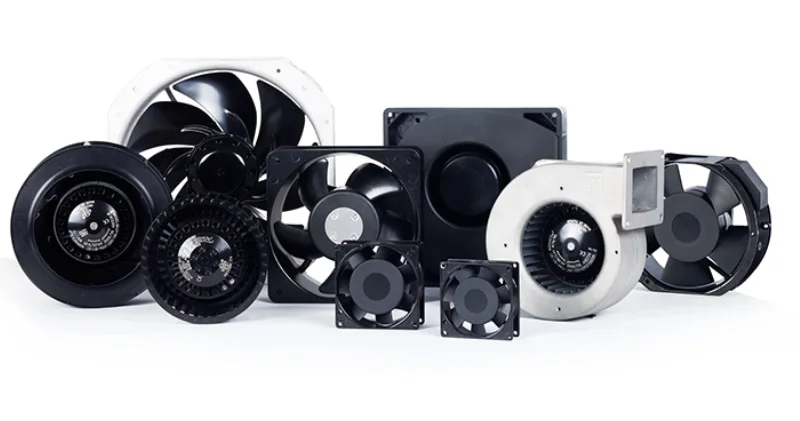
Why Heat Management Is Essential
You might not notice it, but every electronic device you use creates heat. When you push your computer or gaming console to work harder, the heat builds up even faster. If you ignore this heat, your device can slow down, freeze, or even stop working. Over time, too much heat can damage important parts inside, making your device less reliable and shortening its life. Take a look at what can happen if you don’t manage heat well:
| Consequence | Description |
|---|---|
| Performance degradation | Devices slow down or work less efficiently when they get too hot. |
| Reduced reliability | High heat wears out parts faster, so your device might break sooner. |
| Catastrophic events | Extreme heat can even cause fires or destroy your device. |
Benefits for Devices and Systems
A heat dissipation fan keeps your electronics cool by moving heat away from the most sensitive parts. This simple action does a lot for you:
- Prevents overheating, which keeps your devices running smoothly and avoids sudden shutdowns.
- Boosts performance, especially when your device is working hard.
- Extends the life of your electronics by over 30%, so you don’t have to replace them as often.
- Improves cooling efficiency by up to 30%, which means fewer crashes and less downtime.
- Uses less energy than older cooling systems, saving you money and helping the environment.
You’ll find these fans in everything from computers to cars. They work well in tough conditions, from freezing cold to blazing hot, and their brushless design means they last longer and need less fixing.
Cabinet Fan Comparison
You might wonder how a heat dissipation fan stacks up against a cabinet fan. Here’s a quick comparison to help you decide which one fits your needs:
| Feature | Heat Dissipation Fans | Cabinet Fans |
|---|---|---|
| Cooling Mechanism | Blows or exhausts heat right where it’s needed | Moves hot air out of the whole cabinet |
| Efficiency | High for specific parts | Good for overall cabinet cooling |
| Application Scenarios | Great for hot spots like CPUs or GPUs | Best for cabinets with many heat sources |
| Airflow Direction | Targets certain components | Creates a cycle of intake and exhaust |
| Lifespan | Longer because of cooler operation | Can be shorter due to more heat exposure |
If you want to protect a single, high-heat part, go with a heat dissipation fan. If you need to cool an entire cabinet, a cabinet fan might be better. Either way, managing heat is key to keeping your devices safe and reliable.
How Heat Dissipation Fans Work
Basic Principle
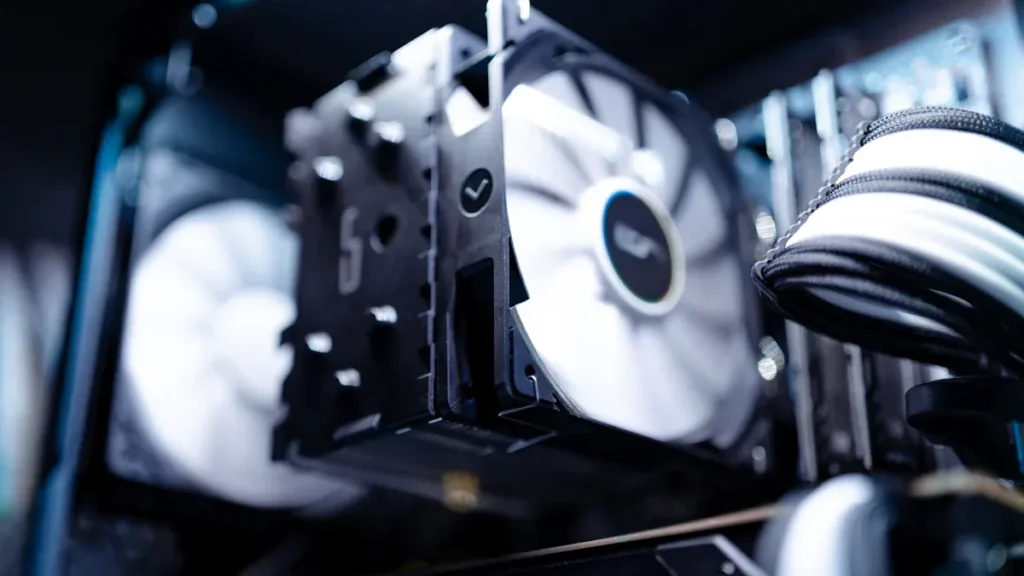
When you use a heat dissipation fan, you give your devices a powerful way to fight heat. The basic idea is simple. The fan pushes air across a heat sink, which is a metal part that sits right on top of the hottest components. This moving air helps carry heat away from the surface, so your device stays cool. You can think of the fan as a tiny wind machine that never stops working to keep things safe.
Tip: The more air you move over a heat sink, the better your device can get rid of unwanted heat.
Industrial cooling fans take this idea even further. They use bigger motors and stronger blades to move more air. This means they can handle much higher temperatures and keep large machines running smoothly.
Airflow Process
Airflow is the secret weapon in cooling. When you turn on your device, the heat dissipation fan starts spinning. It pulls cooler air from outside and pushes it over the heat sink. The heat from the component moves into the metal, and the fan’s airflow sweeps that heat away. This process keeps the temperature difference between the hot part and the air as big as possible, which is key for fast cooling.
Here’s how the airflow process works step by step:
- The heat sink increases the surface area for heat to escape.
- The fan blows air over the heat sink, picking up heat from the metal.
- The moving air carries the heat away, making room for more heat to leave the component.
You’ll notice that fans do a much better job than just letting air sit still. They replace warm air with fresh, cool air, which helps your device stay at the right temperature. This forced airflow is especially important for things like computers and gaming systems, where heat builds up quickly.
Heat Transfer Process
You might wonder how the heat actually moves from your device into the air. There are three main ways this happens:
| Heat Transfer Method | Description | Example |
|---|---|---|
| Conduction | Heat moves through direct contact between materials. | Heat travels from a CPU into its heat sink. |
| Convection | Heat moves by the flow of air or liquid. | Fan blows air over the heat sink, carrying heat away. |
| Radiation | Heat moves as energy waves, even through empty space. | Sunlight warming a surface. |
- Conductive heat transfer happens first. The hot part touches the heat sink, and heat flows into the metal.
- Next, convective heat transfer takes over. The fan’s airflow moves heat from the heat sink into the air.
- Radiative heat transfer plays a smaller role, but it can matter if things get really hot.
Note: The materials used in your device, the speed of the fan, and even the room’s temperature can all affect how well heat moves away. High humidity or hot air can make it harder for your fan to do its job.
Industrial cooling fans often focus on high airflow and strong air pressure. They need to move a lot of heat quickly, especially in factories or server rooms. You’ll see these fans rated by how much air they move (CFM), how much pressure they create, and how long they last. Some fans run quietly for home use, while others are built tough for heavy-duty work.
If you want your electronics to last, you need to keep heat under control. A good heat dissipation fan, paired with a well-designed heat sink, gives you the best shot at reliable, long-lasting performance.
Types of Heat Dissipation Fans
Recommended products
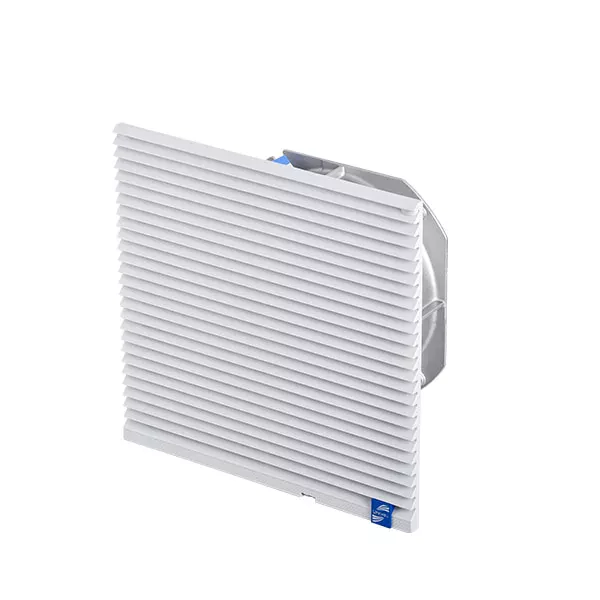

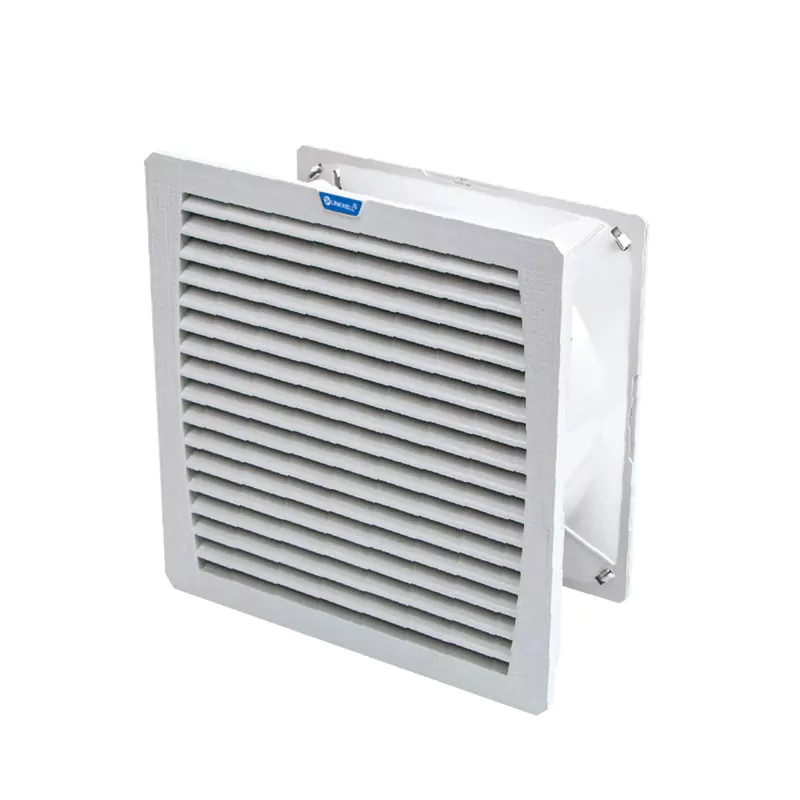
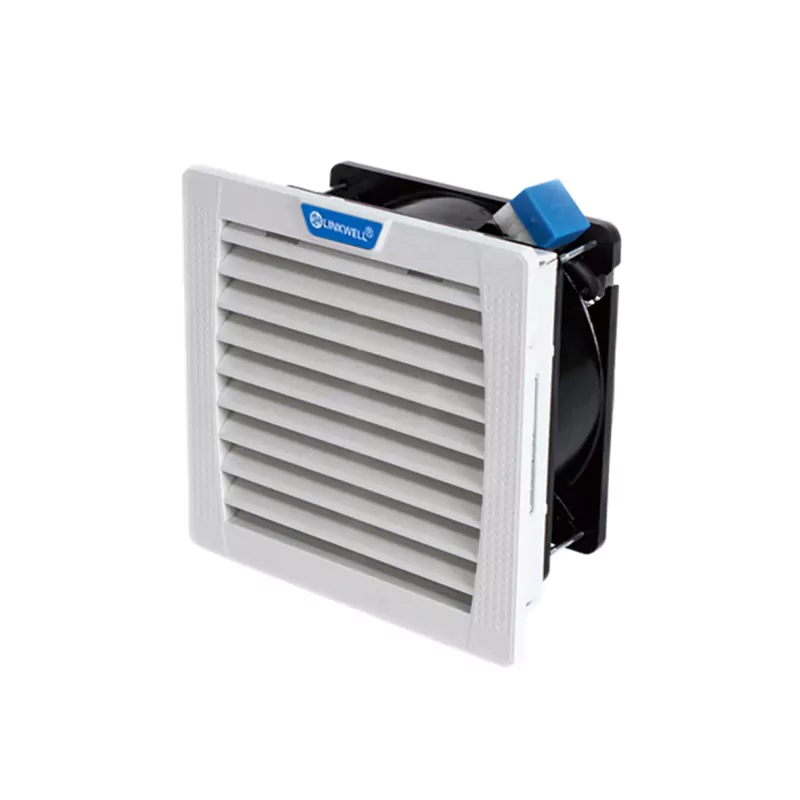
When you look for ways to control heat in your devices, you’ll find several types of fans. Each one handles heat in its own way. Let’s break down the main types you’ll see.
Axial Fans
Axial fans are the most common choice for moving heat away from electronics and machinery. You’ll spot these fans in computers, gaming consoles, and even cars. They push air straight through the blades, so the airflow runs parallel to the shaft. This design helps you cool large areas quickly.
Here’s a quick look at the pros and cons:
| Advantages of Axial Fans | Disadvantages of Axial Fans |
|---|---|
| Efficient airflow generation | Limited static pressure |
| Compact and space-saving design | Directional airflow |
| Cost-effectiveness | Noise levels |
| Versatility and customization | Limited cooling capacity |
| Easy installation and maintenance | Efficiency at higher pressures |
You’ll like axial fans if you want simple heat control and easy setup. They work best when you need to move a lot of air but don’t have much resistance.
Centrifugal Fans
Centrifugal fans handle heat differently. These fans pull air in from the center and push it out at a right angle. You’ll use them when you need to fight heat in places with tight spaces or ducts. Centrifugal fans create higher pressure, so they can move air through filters or pipes.
Check out how they compare to axial fans:
| Fan Type | Airflow Characteristics | Cooling Performance |
|---|---|---|
| Axial Fans | High volume, low pressure airflow | Ideal for cooling equipment and spaces with even distribution |
| Centrifugal Fans | High pressure, lower volume airflow | Suitable for directed cooling through ductwork or pipes |
If you need to control heat in a spot with lots of obstacles, centrifugal fans give you the power to push air where it’s needed most.
Specialized Fans
Sometimes, you need a fan that tackles heat in a unique way. Specialized fans include blower fans and cross flow fans. Blower fans focus airflow on specific hot spots, like a graphics card or a power supply. Cross flow fans spread air across longer surfaces, cooling several components at once.
Routine maintenance keeps all types of fans working their best. Clean the blades, check for damage, and make sure moving parts stay lubricated. This helps your fans fight heat and keeps your devices running smoothly.
You’ll also see smart fans with IoT features. These fans adjust speed and direction based on heat levels, saving energy and lowering cooling costs. Advanced materials and noise reduction technology make these fans perfect for sensitive environments, like offices or hospitals.
No matter which fan you choose, you’re giving your devices a better way to handle heat. Pick the type that matches your setup, and you’ll keep your electronics safe and cool.
Related Components
Heat Sinks
You see heat sinks everywhere in electronics. They play a huge role in keeping your devices cool. A heat sink acts as a passive heat exchanger. It transfers heat from parts like CPUs and GPUs to the air. The design of a heat sink maximizes surface area, which helps move heat away faster. When you pair a heat sink with a fan, you boost cooling efficiency. The fan pushes air over the heat sink, carrying heat away from the metal surface. This combo keeps your device running smoothly, even when it works hard.
- Heat sinks pull heat from hot components.
- They spread heat across their fins to increase dissipation.
- Fans move air over the heat sink, improving heat transfer.
If you want your electronics to last longer, always make sure your heat sink and fan work together.
Thermal Compounds
You might wonder why a heat sink needs something extra. That’s where thermal compounds come in. These materials fill tiny gaps between the heat sink and the chip. Without a thermal compound, air pockets can form, making heat transfer less effective. When you apply a thermal compound, you create a better path for heat to move from the chip to the heat sink. This step helps prevent overheating and keeps your device performing at its best.
- Thermal compounds fill microscopic gaps.
- They improve heat dissipation efficiency.
- They reduce thermal impedance for better heat transfer.
A good thermal compound makes sure heat flows smoothly from the chip to the heat sink, and then the fan moves that heat away.
Integration with Fans
Getting the most out of your cooling system means combining all these parts the right way. You need to think about how much heat your device produces. Place your heat sink and fan so air moves efficiently. Sometimes, you use ducting to direct airflow in tight spaces. Variable speed fans adjust to changing heat levels, saving energy and keeping things cool. Regular checks help you spot problems before they get serious.
- Assess how much heat your system generates.
- Place heat sinks and fans for the best airflow.
- Use ducting if space is limited.
- Choose fans with variable speed for changing heat conditions.
- Check fan performance and heat levels often.
Smart integration of heat sinks, thermal compounds, and fans gives you reliable protection against heat. You keep your electronics safe and extend their lifespan.
Conclusion
You now know how important it is to control heat in your devices. When you use a heat dissipation fan, you help your electronics stay cool and work better for longer. Heat can sneak up on your equipment, causing slowdowns, damage, or even total failure. By managing heat, you keep your devices running at their best and avoid costly repairs.
Choosing the right fan for your needs is not just about picking the biggest or most powerful one. You need to think about how much heat your system creates and where it builds up. Take a look at the most important factors to consider when picking a heat dissipation fan:
| Factor | Description |
|---|---|
| Airflow | The volume of air the fan can move, crucial for effective cooling. |
| Static Pressure | The resistance the fan must overcome to maintain airflow in the system. |
| Fan Type | Different types of fans suit different applications. |
| Power Type | AC or DC power options can affect compatibility and efficiency. |
| Noise | The sound level produced by the fan, important for user comfort. |
| Life Expectancy | The expected operational lifespan of the fan, impacting maintenance needs. |
| EMI/RFI Interference | Consider electromagnetic interference, especially in sensitive applications. |
You want to match the fan to your specific heat problem. Picking a fan based only on size or power often leads to poor results. When you understand these key points, you can find a solution that fits your setup and keeps heat under control.
Let’s recap why heat dissipation fans matter for you:
- They keep heat from building up, which protects your electronics from damage.
- They help your devices last longer by reducing heat stress.
- They lower the risk of malfunctions and cut down on maintenance costs.
- They make sure your equipment runs smoothly and reliably, even when working hard.
- Studies show that good heat management can boost the lifespan and performance of your electronics.
If you want your devices to stay safe and work their best, pay attention to heat. Choose a fan that matches your needs, and don’t be afraid to ask experts for advice. You can always reach out to a supplier for help finding the perfect heat solution. Take charge of heat today, and your electronics will thank you tomorrow!
You want your devices to stay cool and last longer. Heat dissipation fans help you manage heat, protect your equipment, and boost performance. If you ignore heat, you risk slowdowns, damage, and higher costs. Energy-efficient fans use less power and help the environment by reducing heat and lowering emissions. When you pick a fan, think about heat levels, airflow, and space. Avoid mistakes like poor heat planning or ignoring heat from crowded parts. For the best results, talk to experts early and use smart heat solutions.
Smart heat management starts with you. Choose wisely and keep heat under control.
| Step | What You Should Do |
|---|---|
| 1. Assess heat | Check how much heat your device makes |
| 2. Plan for heat | Design for good heat flow |
| 3. Consult experts | Get advice on heat solutions |
- Engage with thermal consultants early for better heat control.
- Use modeling and CFD to optimize heat dissipation.
- Ask thermal engineers for help with heat management.
FAQ
What happens if you ignore heat in your devices?
If you ignore heat, your devices can slow down, freeze, or even break. Too much heat can damage parts inside. You might end up with higher repair costs or need to replace your device sooner than expected.
How do you know if your fan is handling heat well?
You can check device temperatures using built-in software or apps. If your device feels hot or shuts down, the fan might not move enough heat. Listen for loud fan noise, which can mean it works harder to fight heat.
Can you use any fan to control heat in electronics?
Not every fan works for every device. You need a fan designed to move heat away from specific parts. Using the wrong fan can leave heat trapped inside, which hurts performance and shortens your device’s life.
Why do some devices need more than one fan for heat control?
Some devices create a lot of heat in different spots. Using more than one fan helps move heat from each area. This setup keeps all parts cool and stops heat from building up in one place.
What’s the best way to keep heat from damaging your equipment?
You should clean your fans and vents often. Place your device in a cool spot. Use the right fan for your setup. If you notice heat problems, fix them fast. Good airflow and regular checks help you control heat.


