Yes, you can plug 3 pin fans into 4 pin connectors. This question pops up a lot for both PC builders and people working with industrial equipment. Think of it like plugging a two-prong appliance into a three-prong outlet—the fit works, even if you leave one slot empty. Whether you’re building a gaming rig at home or managing cooling in a control panel, the answer stays the same. Linkwell fans make this process simple, giving you options that work in both worlds.
Bottom Line
- You can safely connect 3 pin fans to 4 pin connectors. The fit is secure, and the fan will operate without issues.
- Expect basic cooling and RPM monitoring when using a 3 pin fan. However, you will lose advanced PWM speed control.
- For quieter operation and better speed adjustments, consider using a 4 pin PWM fan. It adapts better to system needs.
- Follow simple steps to connect your fans: turn off the system, align the connector, and push it onto the header.
- Choose Linkwell fans for easy installation and compatibility. They work well in both home and industrial settings.
3 pin fans and 4 pin connectors compatibility
Physical fit and alignment
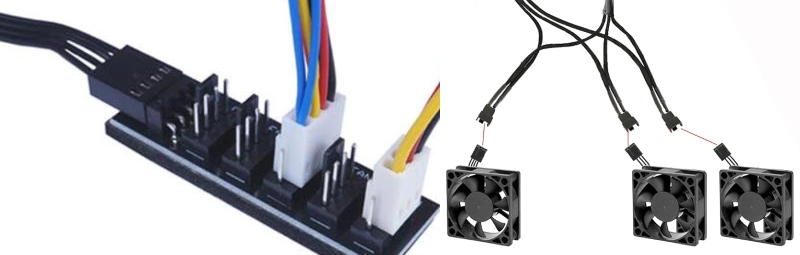
You might wonder if 3 pin fans actually fit into 4 pin connectors without any hassle. The answer is yes—they do. The connectors are designed with a groove and ridge system that guides the pins into the right slots. You just line up the plastic guides and push the fan connector onto the header. The extra pin on the motherboard stays exposed, but it doesn’t get in the way.
If you use a Linkwell Computer Chassis Fan, you’ll notice how easy the installation feels. The connector slides right into place, and you don’t need any adapters or extra tools. This design works for both home computers and industrial cabinets. You can swap out fans quickly, which saves time during upgrades or maintenance.
Here’s what you can expect when connecting 3 pin fans to 4 pin headers:
- The connector fits securely, thanks to the keyed design.
- The fourth pin (for PWM control) remains unused and does not interfere.
- You don’t need to force anything or worry about damaging the header.
This setup makes Linkwell fans a smart choice for anyone who values quick installation and universal compatibility.
Electrical safety and pin layout
You might worry about electrical safety when plugging 3 pin fans into 4 pin connectors. The good news is, you don’t have to. The pin layout on both connectors matches up for the first three pins, so your fan gets power, ground, and speed monitoring signals. The fourth pin, which controls PWM speed, simply stays unused.
Here’s a simple table that shows how the pins line up:
| Pin Type | Function |
|---|---|
| 1 | Power (5V/12V) |
| 2 | Ground (GND) |
| 3 | Tachometer (RPM monitoring) |
| 4 | PWM signal (for speed control) |
When you connect a 3 pin fan, only the first three pins matter. The fan receives everything it needs to run safely. The unused PWM pin does not send or receive any signals, so it won’t cause short circuits or electrical issues. You can trust this setup, whether you’re running a single fan in a desktop or managing dozens in an industrial control panel.
A few things to keep in mind:
- 4-pin headers usually operate in DC mode, which means they adjust voltage to control fan speed. This lets 3 pin fans work properly.
- Sometimes, 3 pin fans may run at full speed if the motherboard can’t adjust voltage. This depends on your system.
- The unused PWM pin never affects the operation or safety of your fan or motherboard.
If you want a fan that’s built for safe, easy connections, Linkwell Computer Chassis Fans fit the bill. You get peace of mind and reliable cooling, no matter the application.
Fan speed control and features with Linkwell fans
Voltage control vs PWM control
When you connect fans to your system, you deal with two main types of speed control: voltage control and PWM control. Each method changes how your fan responds to temperature and workload.
Voltage control works with 3 pin fans. Your motherboard adjusts the voltage sent to the fan. Lower voltage means slower speed, higher voltage means faster speed. This method is simple and works well for basic cooling needs.
PWM control steps things up. PWM stands for Pulse Width Modulation. Linkwell PWM Fans use a 4-pin connector. The fourth pin sends a special signal that tells the fan exactly how fast to spin. This gives you smoother speed changes and quieter operation, especially when your system does not need full cooling power.
You might wonder how these two types compare. Check out this table:
| Fan Type | Connector Pins | Speed Control Mode | Compatibility |
|---|---|---|---|
| PWM | 4-pin | PWM Mode | Backwards compatible with DC control |
| DC | 3-pin | DC Mode | Not compatible with PWM Mode (runs at full speed) |
If you use a Linkwell PWM Fan, you get precise speed control and quieter performance. If you use a 3 pin fan, you rely on voltage changes, which can be less smooth.
What features you keep or lose
Plugging 3 pin fans into 4 pin connectors changes what features you get. Some features stay, while others do not work the same way.
- You keep basic cooling. The fan spins and moves air, which protects your equipment.
- You keep RPM monitoring. Your system can still read the fan speed.
- You lose PWM speed control. The fan cannot adjust speed based on temperature as smoothly as a PWM fan.
- The fan may run at full speed if your motherboard does not support voltage control.
This table shows what features you keep or lose:
| Feature | 3-Pin Fan on 4-Pin Connector | 4-Pin Fan on 3-Pin Connector |
|---|---|---|
| PWM Signal | Not used | Not received |
| Voltage Supply | Fixed at +12 VDC | Varies |
| Speed Control | Limited (depends on BIOS) | Yes (via varying voltage) |
Without PWM control, your fan cannot change speed as quickly or quietly. You might notice the fan running louder, especially during light workloads. The fan may also use more energy because it cannot slow down when your system is cool.
Tip: If you want the best speed control and quiet operation, choose a Linkwell PWM Fan. It gives you full control and adapts to your system’s needs.
When you use 3 pin fans on 4 pin connectors, you get reliable airflow but lose some advanced features. For most basic setups, this works fine. If you want smarter cooling, Linkwell’s PWM options give you more flexibility and efficiency.
Limitations and considerations
Speed control precision and noise
When you connect 3 pin fans to 4 pin connectors, you might notice some trade-offs. The biggest one is speed control. Without the fourth pin, your system cannot send precise speed signals to the fan. This means you lose the ability to fine-tune how fast the fan spins. Sometimes, your fan may run at full speed all the time. Other times, it may only slow down a little, depending on your motherboard.
You might hear more noise, especially when your system is not working hard. Fans that spin at full speed can sound louder than you expect. In quiet offices or noise-sensitive environments, this can get annoying. Products like the TITAN TTC-SC01 Fan Speed Controller show how important precise speed control is. With better control, you get less noise during light tasks and strong cooling when things heat up. If you want a quieter workspace, PWM fans with full speed control work best.
- You lose precise speed control with 3 pin fans on 4 pin headers.
- Fans may run louder, especially during low-demand periods.
- Cooling stays strong, but noise levels can rise.
Safety and motherboard concerns
You might worry about safety or damaging your motherboard. Good news—plugging 3 pin fans into 4 pin connectors is safe. The connectors line up so only the right pins touch. The unused fourth pin just sits there. You do not risk short circuits or electrical problems.
Sometimes, you may find it tricky to mount the fan if the screw holes do not match your case or cabinet. This is rare, but it can happen. You might need to adjust the mounting or use extra hardware.
Linkwell fans are designed with these challenges in mind. They fit standard connectors and offer universal mounting options. You get safe operation and easy installation, whether you work on a home PC or an industrial control panel. Linkwell’s focus on compatibility means you spend less time worrying about fit and more time keeping your systems cool.
If you want peace of mind and fewer installation headaches, Linkwell fans make a smart choice for both 3 pin and 4 pin setups.
How to connect 3 pin fans to 4 pin headers
Step-by-step guide
Connecting 3 pin fans to 4 pin headers is a straightforward process. You do not need special tools or advanced skills. Just follow these steps:
- Turn off your system. Unplug the power to stay safe.
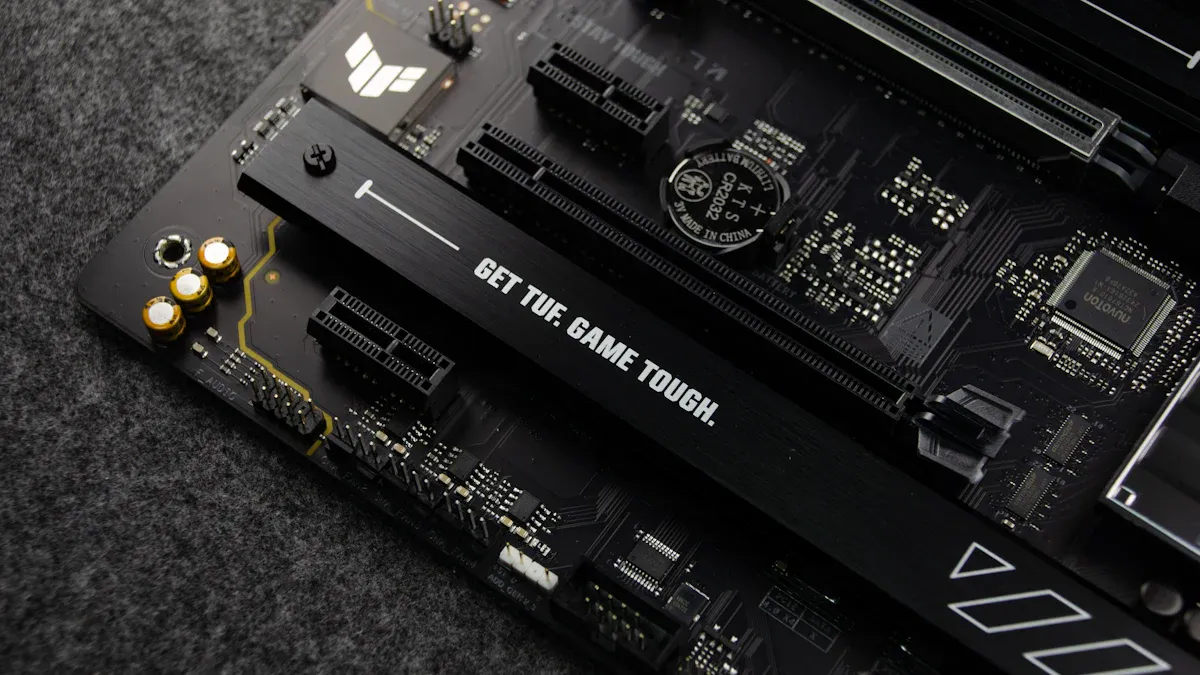
- Locate the 4 pin header on your motherboard or control board. It usually sits near the CPU or along the edge of the board.
- Align the fan connector. The plastic guides on the 3 pin fan match the shape of the 4 pin header. The connector only fits one way.
- Gently push the connector onto the header. The first three pins will connect. The fourth pin (PWM control) stays unused.
- Secure the fan in place. Use the mounting screws or clips that came with your fan.
- Plug in the power and turn on your system. Check that the fan spins and moves air.
You can use adapters or splitters if you want to connect more than one fan or need extra reach. Here’s a quick table showing common accessories:
| Feature | Description |
|---|---|
| Adapter Type | 4 Pin IDE to 4 x 3 Pin Fan Connectors |
| Compatibility | Supports up to 4 fans with 3-pin Molex plugs |
| Voltage Options | 5V, 7V, and 12V for quieter or faster operation |
| RPM Monitoring | Lets you track fan speed |
| Airflow Impact | Lower voltage means less airflow and less noise |
Tips for best results with Linkwell fans
You want your fans to run smoothly and quietly. Try these tips for the best experience with Linkwell fans:
- Double-check your connections. Make sure each fan plugs into the right header.
- Update your fan control software. New versions often fix bugs and add features.
- If your fan runs at full speed, try adjusting settings in your motherboard’s BIOS or use a different fan control program.
- Use splitters or extensions if you need to connect several fans or reach distant headers.
- Choose Linkwell fans for universal compatibility. Users like Markus Schneider and Emily Johnson have praised Linkwell for quality and reliability. Ahmed Al-Fahad values the customization options and support.
Tip: Linkwell fans fit most systems without extra adapters. If you ever need help, Linkwell’s support team is ready to assist you.
With these steps and tips, you can connect 3 pin fans to 4 pin headers quickly and confidently.
Conclusion
You’ve learned that plugging a 3 pin fan into a 4 pin connector is not only possible but also safe and practical for most setups. If you want to keep your system cool without headaches, you can follow a few simple steps to get the best results.
- Check your motherboard settings. Open your BIOS or fan control software. Look for options to adjust voltage control for 3 pin fans. If your fan runs at full speed, try switching the control mode from PWM to DC. This small tweak can cut noise and save energy.
- Choose the right fan for your needs. If you want quiet operation and smooth speed changes, pick a Linkwell PWM Fan. These fans use all four pins and give you precise control. For basic cooling, a Linkwell Computer Chassis Fan with a 3 pin connector works well and installs in seconds.
- Plan your airflow. Place fans where they can move air efficiently. For industrial cabinets, position intake and exhaust fans to create a clear path for airflow. In a PC, set up front-to-back or bottom-to-top airflow. This keeps temperatures steady and prevents hot spots.
- Schedule regular cleaning. Dust buildup can block airflow and force fans to work harder. Every few months, turn off your system and use compressed air to clean fan blades and filters. Linkwell fans with removable filters make this job faster and easier.
- Contact support if you hit a snag. Linkwell offers 24/7 help. If you run into mounting issues or need advice on fan selection, reach out by phone or email. You’ll get answers from real people who know their products.
If you want fewer breakdowns and less downtime, invest in fans with high MTBF ratings and easy-to-clean designs. Linkwell fans fit these needs, so you spend more time working and less time fixing.
Ready to upgrade your cooling? Visit Linkwell’s website to explore fans built for both home and industrial use. Safe upgrades and smart choices keep your systems running strong.
You can plug a 3 pin fan into a 4 pin connector without worry. The fan runs safely, but you lose precise speed control. If you want quieter operation or better cooling, a 4 pin PWM fan works best. Linkwell fans fit both setups and support standard mounting, making upgrades simple for home or industrial use.
- 3-pin fans use voltage control and may run at a fixed speed.
- 4-pin fans offer PWM for smoother, quieter adjustments.
- Linkwell products support both types and offer OEM customization.
| Fan Type | Features | Best For |
|---|---|---|
| 3-Pin | Basic speed, RPM feedback | Budget or simple builds |
| 4-Pin | PWM, quiet, efficient | High-performance needs |
Always check your system’s needs before choosing a fan. Linkwell’s range covers every scenario, so you get the right fit every time. For safe upgrades, monitor temperatures and make sure your fan wires stay secure.
FAQ
What happens if you plug a 3 pin fan into a 4 pin connector?
You get basic fan operation. The fan spins and cools your system. The fourth pin (PWM) stays unused. You might lose advanced speed control, but your fan works safely.
What features do you lose with a 3 pin fan on a 4 pin header?
You lose PWM speed control. The fan may run at a fixed speed or only adjust slightly. You still get airflow and RPM monitoring, but you miss out on quieter, more precise adjustments.
What makes Linkwell fans a good choice for mixed setups?
Linkwell fans offer universal mounting and support both 3 pin and 4 pin connectors. You get easy installation, strong airflow, and options for advanced PWM control. Many users prefer Linkwell for bulk orders and custom solutions.
What should you check if your 3 pin fan runs at full speed?
Open your BIOS or fan control software. Look for a setting to switch from PWM to DC mode. This change often lets you adjust the fan speed and reduce noise.
What industries use Linkwell fans in bulk?
Data centers, industrial control panels, and electronics manufacturers often choose Linkwell fans. These fans handle demanding environments and offer customization for airflow, voltage, and noise levels.