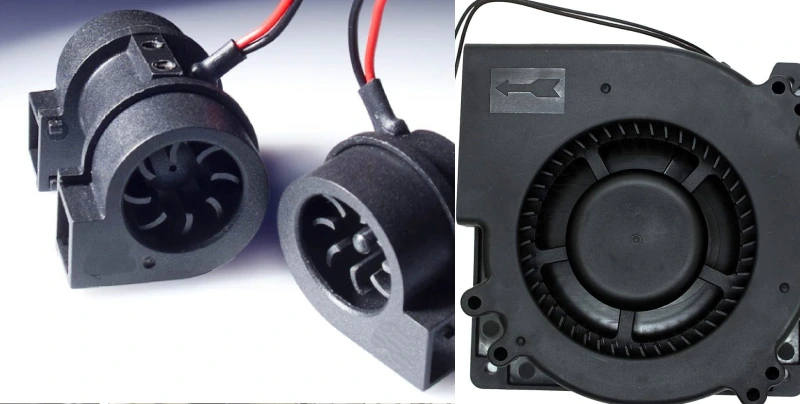
No change needed. When I manage airflow well, I see fewer breakdowns and longer equipment life. Overheating leads to rapid hardware wear and unexpected failures. I rely on simple tips, like arranging racks for proper air movement and adding Data Rack Fan Solutions for Electrical Cabinets, to keep everything running smoothly. These small changes make a big difference in protecting my investment and keeping systems efficient.
Key Takeaways
- Good airflow is essential for keeping equipment cool and extending its lifespan. Regularly check for blocked vents and clear them to maintain optimal performance.
- Use blanking panels to cover empty rack spaces. This prevents hot air from mixing with cold air, improving cooling efficiency and reducing energy costs.
- Implement a hot and cold aisle arrangement in your data racks. This setup directs cold air to the front and hot air out the back, enhancing cooling effectiveness.
- Keep aisles clear of clutter. Ensure there is enough space for air to flow freely, which helps maintain consistent temperatures and prevents overheating.
- Regularly monitor airflow with sensors and perform routine inspections. This helps identify issues early and ensures your cooling systems work efficiently.
Why Airflow Management Matters
Equipment Performance and Longevity
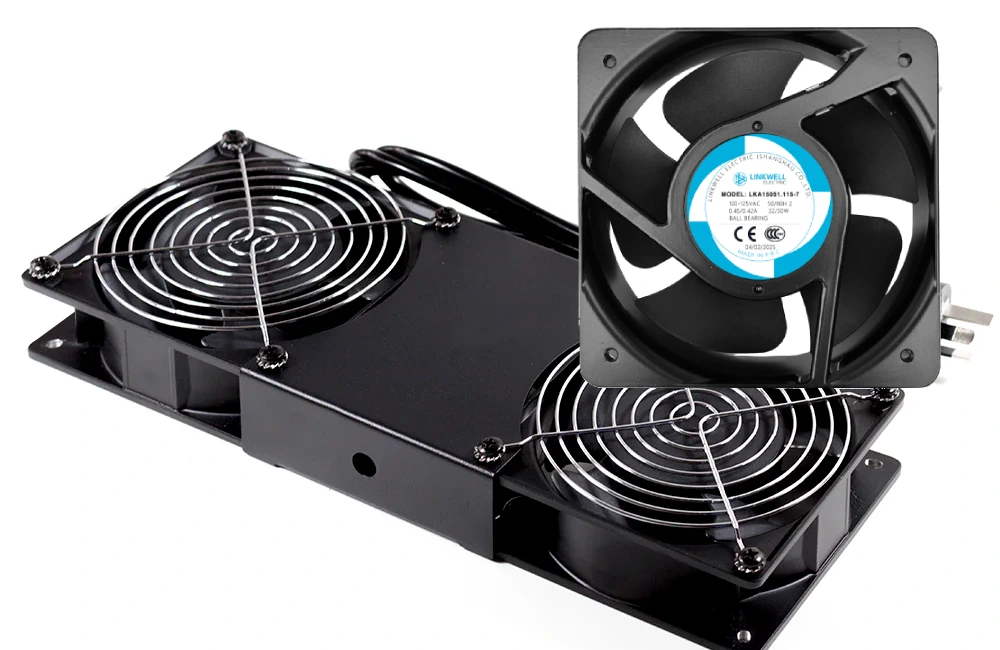
Maintaining proper airflow in data racks and electrical cabinets is critical for long-term performance. When I follow air flow management best practices, I notice my equipment runs cooler and lasts longer. Good airflow keeps temperatures steady. My servers and switches stay reliable. I avoid sudden shutdowns and costly repairs. I see that clean, cool air helps prevent dust buildup. This means less maintenance for me. I trust that proper airflow protects sensitive electronics from heat damage. I feel confident when I know my systems are safe.
Here’s what I do to boost performance and longevity:
- Blocked vents should be inspected and cleared immediately.
- Fans and filters help maintain continuous airflow.
- Proper cable organization prevents airflow obstruction.
- Temperature monitoring ensures timely airflow adjustments.
Risks of Poor Airflow
Poor airflow causes trouble. Equipment can overheat and fail when airflow is restricted. When air cannot move, hot spots form. My cooling costs go up because the system works harder. I waste energy and money. I learned that mixing hot and cold air leads to inefficiency. My data center management becomes more difficult.
Always check for signs of overheating. If you notice slow performance or frequent shutdowns, airflow might be the problem.
Here’s a quick look at the most common consequences:
| Consequence | Description |
|---|---|
| Hardware failures | Inefficient airflow leads to hot spots, causing servers to throttle or fail. |
| Increased cooling expenses | Mixing of hot and cold air results in wasted energy and higher costs. |
| Energy inefficiency | Bypassing of cold air and mixing with hot air increases energy use. |
I make sure to address these risks before they become bigger issues. I know that managing air is key to keeping my equipment safe and efficient.
Top Airflow Management Tips for Data Racks
Optimize Rack Layout
When I set up my data racks, When setting up data racks, airflow planning should be a top priority. I learned that a smart layout can make a huge difference in cooling. If I just stack equipment without a plan, I end up with hot spots and wasted energy. So, I focus on a few key strategies to optimize airflow and keep my equipment safe.
Here’s what I do:
- Racks should be arranged in hot and cold aisle configurations. This setup, called hot and cold aisle containment, helps direct cold air to the front of the servers and pushes hot air out the back. I notice my cooling system works less and my equipment stays cooler.
- Perforated doors improve airflow efficiency. These doors let air move freely, so cold air reaches the equipment and hot air escapes easily.
- Gaps should be sealed to prevent air leakage. This stops air from leaking out and mixing, which keeps the cooling focused where I need it.
- Cables should be properly managed to avoid airflow blockage. I use cable management tools to keep everything tidy and open.
- I check for open spaces at the bottom or top of the racks. If I find any, I close them with sealing accessories. This keeps the air moving in the right direction.
Here’s a quick table that shows how different strategies help with airflow and cooling:
| Strategy | Description |
|---|---|
| Cold Aisle Containment | Keeps cold air in front of servers, so they get steady, cool air. |
| Rack Enclosure Design | Perforated doors and sealed sides let air move where it’s needed and stop leaks. |
| Blanking Panels | Fill empty spaces to stop hot air from coming back into the cold side. |
| Cable Management Solutions | Keep cables neat so air can flow without getting blocked. |
| Sealing Accessories | Close gaps to keep air moving in the right direction and improve cooling. |
| Containment Systems | Separate hot and cold air streams for better cooling performance. |
I also pay attention to the floor. If I use raised floors, I make sure there are enough perforations. This helps cold air reach the racks and stops hot air from coming back. I sometimes add baffles in the cold aisle to get rid of hot spots. These small changes help me optimize airflow and keep my data racks running smoothly.
I always walk around my racks and feel for hot or cold spots. If I find any, I adjust the layout or add more sealing to fix the problem.
Use Blanking Panels
I used to ignore the empty spaces in my racks, but now I know that blanking panels are a must. When I leave open slots, hot air sneaks back to the front and mixes with the cold air. This makes my cooling system work harder and raises the temperature inside the racks.
Blanking panels are simple covers that fill unused spaces. I snap them into place wherever I don’t have equipment. This small step has a big impact. I see more stable temperatures and fewer slowdowns from overheating. My equipment lasts longer because it doesn’t get stressed by heat.
Here’s why I always use blanking panels:
- They stop hot air from recirculating, so only cold air reaches my servers.
- They help my cooling system work more efficiently, which saves energy and money.
- They keep the temperature steady, so my equipment doesn’t wear out as fast.
- They make air containment better, which means fewer hot spots and less risk of shutdowns.
I noticed that when I use blanking panels, I get lower energy bills and my racks stay cooler. I also see fewer problems with dust, since the panels block extra air movement that can stir up particles. If you want to improve airflow management tips in your data racks, don’t skip blanking panels. They’re one of the easiest and most effective upgrades I’ve made.
Note: I check my racks every few months. If I add or move equipment, I always fill any new gaps with blanking panels right away.
Data Center Airflow Management Strategies
Hot and Cold Aisle Arrangement
In data center environments, rack arrangement plays a key role in airflow efficiency. I use hot and cold aisle containment because it makes a huge difference in cooling. I set up my racks so the fronts face each other, creating a cold aisle, and the backs face each other, forming a hot aisle. This setup keeps cold air in one place and hot air in another. I see that cold air goes right to the front of my servers, while hot air gets pushed out the back. This separation stops the two from mixing, which helps my cooling work better.
One of the simplest yet most effective air-management practices is the hot-aisle/cold-aisle arrangement. In this layout, server racks are arranged so that the cold air intakes face each other (creating the cold aisle) and the hot exhaust air face each other (creating the hot aisle). Perforated floor tiles deliver cool air into cold aisles, while return air travels through ceiling plenums or return vents. By preventing mixing, this arrangement reduces fan energy and allows higher supply-air temperatures, yielding 10–35 % cooling energy savings.
I use containment to keep the cold air from escaping and the hot air from coming back. Cold aisle containment directs cold air to the front of my racks. Hot aisle containment captures hot air and sends it back to the cooling system. Both methods boost energy efficiency and keep my equipment safe. I always check that my containment is tight, so air does not leak. I also use perforated floor tiles to deliver cool air right where I need it.
Here’s a quick look at common cooling approaches in data centers:
| Cooling Approach | Description |
|---|---|
| Room cooling-focused approach | Techniques that prioritize cooling the entire room environment. |
| IT equipment cooling-focused approach | Strategies that specifically target the cooling of IT equipment to enhance efficiency. |
| Thermal energy storage techniques | Methods that utilize stored thermal energy to manage cooling loads effectively. |
I always recommend hot and cold aisle containment for anyone who wants better cooling and lower energy bills.
Keep Aisles Clear
I learned early on that clutter in the aisles ruins airflow. I keep my aisles clear to help containment work as it should. If I block the cold aisle, cold air cannot reach my servers. If I block the hot aisle, hot air gets trapped and raises the temperature. I make sure nothing sits in the way—no boxes, tools, or cables.
Here are my best tips for keeping aisles clear:
- I align the front edge of my cabinets with the front edge of the floor tiles. This helps cold air flow straight into the cold aisle.
- I keep at least 1.2 meters (4 feet) between cabinets and walls. This space makes maintenance easy and helps air move.
- I leave 1.8 meters (6 feet) between cabinets and cooling units. This gap lets air spread out and reach all the racks.
- I place the closest perforated tile at least 2.4 meters (8 feet) from cooling units. This setup delivers cold air where it matters most.
I check my aisles every week. If I see anything blocking the way, I move it right away. I know that clear aisles help my containment systems do their job. Good airflow means my data center cooling systems run smoothly and my equipment stays safe.
Data Rack Fan Solutions for Electrical Cabinets by Linkwell
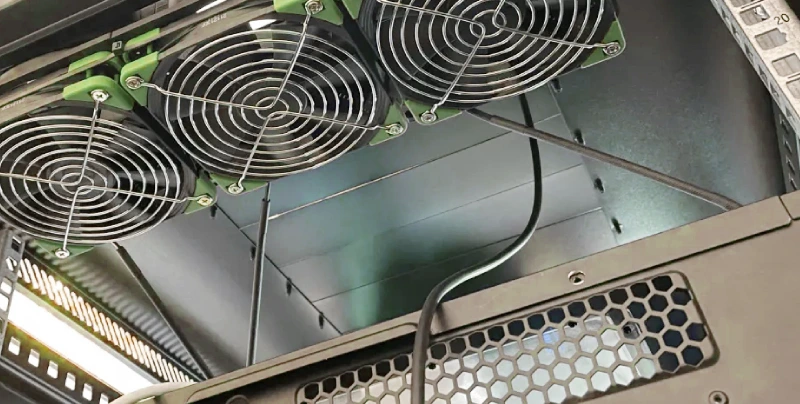
When I look for reliable data rack fan solutions for electrical cabinets, I always turn to Linkwell. This brand has built a strong reputation for quality and innovation in the world of cabinet cooling. I trust their products because they help me keep my equipment safe and my systems running smoothly.
Benefits of Cabinet Fan Integration
I have seen firsthand how adding cabinet fans can transform the way my electrical cabinets handle heat. These fans push hot air out quickly, which is essential in tightly packed spaces. I notice that Linkwell’s advanced models boost airflow efficiency, especially in tough environments. When I use data rack fan solutions for electrical cabinets, I get more than just basic cooling. I see real improvements in energy use, uptime, and maintenance.
Here’s a quick look at the measurable benefits:
| Benefit | Description |
|---|---|
| Energy Efficiency | Reduces site cooling costs by 20–35% through smart load sharing and HVAC integration. |
| Improved Uptime | Keeps cabinet temperatures steady, which means less downtime and less stress on hardware. |
| Reduced Maintenance Costs | Helps me spot filter clogs and airflow blockages early, so I avoid unplanned outages. |
| Operational Intelligence | Gives me data to plan resources and manage long-term capacity. |
| Optimized PUE and EER | Advanced controls improve cooling effectiveness and lower total cost of ownership. |
| Sustainability-Driven Design | Supports energy-saving goals without sacrificing reliability. |
I like that these data rack fan solutions for electrical cabinets help me meet my cooling needs while supporting sustainability.
Choosing the Right Linkwell Cabinet Fan
Picking the right fan matters. The first step is calculating the heat load generated by the equipment. This helps me choose the right size and power for my data rack fan solutions for electrical cabinets. I also check the size and mounting options for my enclosure to make sure the fan fits well and moves air where I need it. I look for fans with the right IP rating, especially if my cabinet sits in a harsh environment.
Here’s what I consider before I buy:
- Calculate the heat load to prevent overheating.
- Check the enclosure size and mounting options for effective cooling.
- Pick fans with the right IP rating for dust and water protection.
- Make sure the fan meets safety standards and local rules.
- look for customization options to match my business needs.
- think about the total cost, not just the price tag.
| Criteria | Description |
|---|---|
| Safety and Compliance | Meets industry standards and local regulations. |
| Budget Considerations | Looks at total cost of ownership, not just the initial price. |
| Customization Options | Offers features tailored to my specific needs. |
I find that Linkwell makes it easy to select and install the right data rack fan solutions for electrical cabinets. Their support team helps me every step of the way, so I always feel confident in my cooling setup.
Sealing and Containment for Better Airflow
Seal Gaps and Openings
I always check for gaps and openings in my data racks and electrical cabinets. When I leave spaces open, cool air escapes and hot air sneaks in. This messes up my cooling and creates hot spots. I learned that sealing these areas keeps air moving where I want it. I use panels to block open spaces between cabinets and rack units. Brush grommets help me seal around cable cutouts, so air doesn’t leak out. Blanking panels fill unused rack slots and stop cold air from bypassing my equipment.
Here’s what I do to seal air gaps and boost airflow:
- I install blanking panels in all open rack spaces.
- I use brush grommets around cable cutouts.
- I block spaces between cabinets with panels.
- I seal spaces in cabinet rows where there are missing cabinets or gaps.
When I seal air gaps, I notice my equipment stays cooler. I avoid early component failure and performance throttling. Moisture doesn’t build up, so I don’t worry about condensation or corrosion. I also keep dust and contaminants out, which protects my electronics.
Tip: I check for gaps every few months. If I find any, I seal them right away to keep my airflow efficient.
Use Containment Systems
Containment systems changed the way I manage air in my data racks. I use cold aisle containment to keep supply air separate from exhaust air. This setup maintains consistent inlet temperatures and stops hot air from mixing with cold air. I also try hot aisle containment when I need to capture and direct hot air away from my equipment.
Here’s a quick table showing common containment methods:
| Method | Description |
|---|---|
| Blanking Panels | Cover unused rack slots to prevent cold air bypass and hot air recirculation. |
| Cold Aisle Containment | Enclose the aisle supplying cold air to keep temperatures steady and separate air flows. |
| Sealing Gaps | Seal gaps around cable cutouts and between cabinets to improve airflow efficiency. |
Containment systems help me support higher densities of IT equipment. I save money because my cooling costs drop. I also feel good knowing I’m lowering greenhouse gas emissions. When I use containment, my data racks run cooler and more efficiently.
I always make sure my containment structures are tight. If I see leaks, I fix them fast to keep my air moving in the right direction.
Monitoring and Maintenance Tips
Regular Cleaning and Inspection
I know that keeping my data racks and electrical cabinets clean is one of the easiest ways to maintain good air circulation. Dust and debris can block vents and slow down air movement. When I let dirt build up, my equipment gets hotter and works harder. I make it a habit to check my cabinets and racks on a regular schedule. Here’s how I break it down:
| Task Frequency | What to Do |
|---|---|
| Monthly | Look for wear, frayed cables, loose parts, and damage. |
| Quarterly | Clean dust, tighten parts, test breakers, and check network settings. |
| Annually | Use infrared scans, update firmware, review load data, check the environment, and grounding. |
I always pay attention to the airflow paths. If I see dust on fans or vents, I clean it right away. I also check for loose panels or gaps that might let air escape. When I spot frayed cables or loose parts, I fix them so nothing blocks the air. This routine helps me keep air moving smoothly and prevents hot spots.
I use filler panels and sealing accessories to close unused spaces. This keeps air flowing where it should and stops leaks.
Use Sensors for Airflow Monitoring
I rely on sensors to keep an eye on air circulation inside my cabinets. Temperature sensors help me spot hot spots near heat sources and cooling fans. When I see a sudden rise in temperature, I know there’s a problem with air movement. I can act fast to fix it before my equipment overheats.
Here’s what I do to monitor airflow:
- I install temperature sensors at key points in my racks.
- I check sensor readings often to make sure air is moving as planned.
- I use the data to adjust fan speeds or rearrange equipment for better air circulation.
I also make sure to seal open U spaces and gaps between my cabinets and servers. This prevents bypass airflow and keeps the cooling system efficient. When I use well-designed rack components and manage cables properly, I notice a big improvement in air movement.
Improving airflow management inside my cabinets not only keeps my equipment safe, but it also saves energy and money over time.
Advanced Data Center Airflow Management
Thermal Modeling
When I want to get the most out of my data center airflow management, I use thermal modeling. This tool lets me see how air moves and where heat builds up before I even set up my racks. I use CFD (computational fluid dynamics) simulations to test different layouts and cooling setups. These virtual tests help me spot problems, like hot spots or blocked air paths, early. I can fix them before they cause trouble.
I remember one project where I used thermal modeling to redesign a cabinet layout. The new design improved the RTI by 75% and boosted the RHI by 18%. That meant my cooling worked better, and my equipment stayed safe. I also use thermal modeling to prepare for emergencies. If an HVAC unit fails, I can see how air and temperature will change. This helps me plan for quick fixes and keeps my systems running.
Here’s what I like about thermal modeling:
- I can test cooling systems before building anything.
- I find ways to save energy and lower costs.
- I keep hot and cold air streams separate for better thermal management.
- I reduce the risk of hot spots and equipment failure.
I always use thermal modeling when I plan big changes in my data center. It saves me time and money in the long run.
Continuous Improvement
I never stop looking for ways to improve data center airflow management. I know that small changes can make a big difference. I start by understanding how air moves in my space. I use wireless sensors to monitor temperature and airflow in real time. If I see a problem, I act fast.
Here are some steps I follow for continuous improvement:
- I isolate hot and cold air streams to keep temperatures steady.
- I right-size my cooling systems to match my equipment needs.
- I use modular rack systems and containment panels for flexible air control.
- I install vertical containment curtains and blanking panels to stop air mixing.
- I adjust cooling based on sensor data and use advanced controls for automatic changes.
I check airflow often and make adjustments as needed. I also use AI tools to analyze data and predict when I need to make changes. This helps me avoid problems before they happen. My goal is to keep my data center cool, efficient, and ready for anything.
Note: Continuous improvement means I never settle. I always look for new ways to boost airflow and protect my equipment.
Conclusion
Effective airflow management in data racks and electrical cabinets is essential for maintaining performance and extending equipment life. Proper air movement removes heat efficiently, while sealing gaps and using modular solutions improves cooling efficiency and reduces energy costs.
To optimize your setup, implement hot and cold aisle containment, use baffles for airflow control, and adopt flexible cooling solutions. Regular inspection of gaps and airflow paths helps prevent overheating.
Linkwell Cabinet Fans provide reliable, easy-to-install cooling support, ensuring consistent airflow even in demanding environments. By improving airflow management, you can enhance system reliability, reduce downtime, and protect your investment.
FAQ
How often should I check airflow in my data racks?
I check airflow every month. I walk around my racks and feel for hot or cold spots. If I notice changes, I adjust fans or seal gaps right away.
What signs tell me my cabinet needs better cooling?
I spot slow performance, frequent shutdowns, or hot surfaces. If my equipment feels warm to the touch, I know I need to improve airflow or add a fan.
Can I install Linkwell Cabinet Fans myself?
Yes, I can install Linkwell Cabinet Fans easily. The design makes setup simple. I follow the instructions and use basic tools. If I need help, I contact Linkwell support.
Do blanking panels really make a difference?
Blanking panels help a lot. I use them to block empty spaces. This keeps hot air from mixing with cold air. My racks stay cooler and my equipment lasts longer.