
You might wonder why computer fan sizes matter so much for your PC. The size you pick plays a big role in cooling and overall performance. Larger fans move more air at lower speeds, which helps keep your system quiet and energy efficient. Smaller fans work harder and get noisier. This balance keeps your computer cool and stable. If you want reliable cooling, check out the high-quality Computer Chassis Fan from Linkwell, a trusted name in the industry.
Key Takeaways
- Choose the right fan size for your case. Most modern cases support 120mm or 140mm fans, but check your manual for specifics.
- Larger fans, like 120mm and 140mm, provide better cooling with less noise. They are ideal for most desktop setups.
- Small fans, such as 40mm and 80mm, fit in tight spaces but can be noisier. Use them when space is limited.
- For optimal performance, consider fans with PWM control. They adjust speed for better cooling and quieter operation.
- Linkwell’s Computer Chassis Fan offers high airflow, low noise, and easy installation, making it a reliable choice for any build.
Computer Fan Sizes Overview
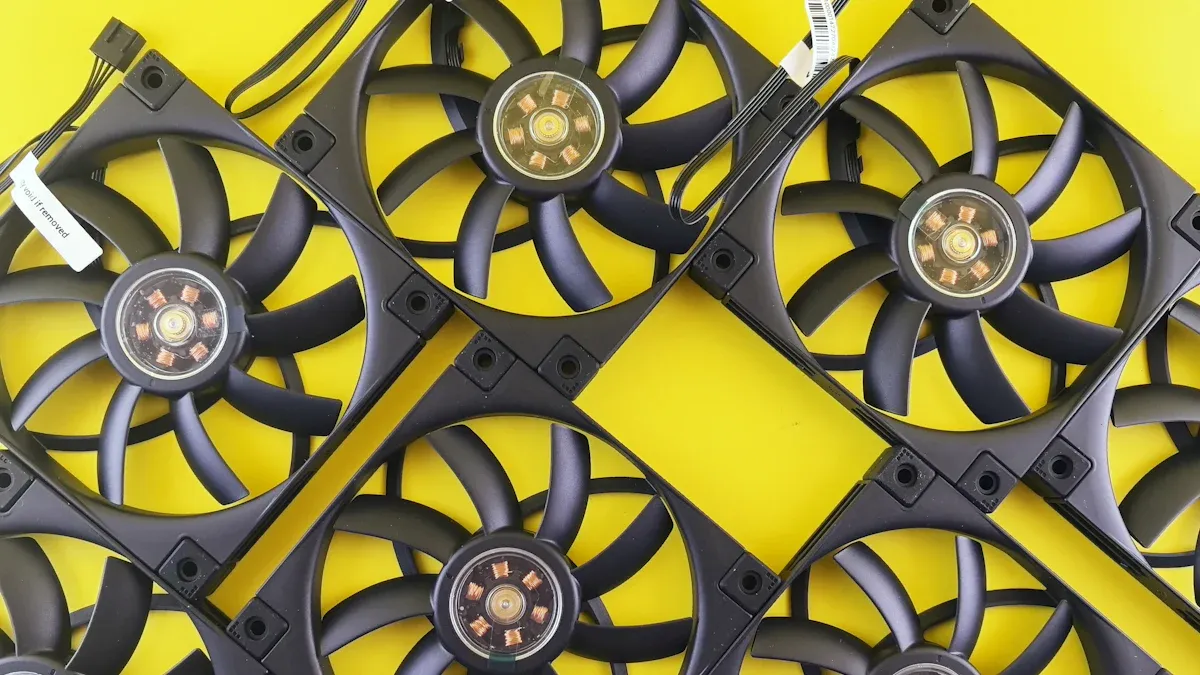
When you look at computer fan sizes, you see a wide range of options. Each size fits different cooling needs and system types. Let’s break down the most common types by their fan diameter and typical uses.
Small Fans (20mm, 40mm, 80mm)
Small fans play a big role in compact electronics and tight spaces. You often find these fans in devices where space is limited but cooling is still important. They may not move as much air as larger fans, but they keep small systems running smoothly.
Here’s a quick look at their typical dimensions and airflow capacity:
| Fan Size | Diameter | Airflow Rating |
|---|---|---|
| 20mm | 20mm | Efficient cooling in limited space |
| 40mm | 40mm | Efficient cooling in limited space |
| 80mm | 80mm | Efficient cooling in limited space |
You’ll see these small fans in many cooling applications, such as:
- 3D printers
- NAS devices
- Compact electronics
- Routers
- Small form factor PCs
- Embedded systems
Small fans work best when you need targeted airflow in a small area. Their fan diameter makes them perfect for cooling tiny components that can heat up quickly.
Standard Fans (92mm, 120mm, 140mm)
Standard fans are the most popular choice for computer cases and cooling systems. You’ll find these sizes in almost every desktop PC, workstation, or server. They offer a great balance between airflow, noise, and compatibility.
Check out how standard fan sizes compare in terms of airflow and noise:
| Fan Size | Airflow (CFM) | Noise Level (dB) |
|---|---|---|
| 120mm | 41.51 | 20.6 |
| 140mm | 56 | 23.3 |
These fans fit most cases and radiators, making them a go-to for many builds. The 120mm and 140mm models are especially popular because they deliver strong cooling without getting too loud. You can use them for both intake and exhaust, which helps keep your system cool and stable.
You might wonder about compatibility. It’s not just about the fan diameter. You also need to think about airflow and pressure. Many cases support both 3-pin and 4-pin fans. If you want more control, 4-pin PWM fans let you adjust speed for better performance and quieter operation.
If you want a reliable and efficient option, check out the Computer Chassis Fan from Linkwell. This fan comes in standard sizes and offers advanced features like PWM control, low noise, and high airflow. It’s a great fit for most computer cooling applications.
Large Fans (180mm, 200mm, 220mm)
Large diameter fans are designed for maximum airflow and quiet operation. These fans move a lot of air at lower speeds, which means they keep your system cool without making much noise. You’ll see them in high-performance builds where cooling is critical.
Here’s what makes large fans stand out:
- They have a greater surface area, so they push more air through your case.
- They run at lower RPMs, which keeps noise levels down.
- Fan noise drops as blade speed decreases, so you get efficient cooling with less sound.
You’ll find large diameter fans in:
- Gaming PCs
- Workstations
- Data centers
- High-density setups where airflow is restricted
These types of fans are perfect for users who want top-notch cooling and quiet performance. Many high-end cases support these sizes, especially when you need to cool powerful hardware or multiple components.
Tip: If you’re building a high-performance system, consider large fans for the best mix of airflow and low noise.
No matter which size you choose, understanding the different types of computer fan sizes helps you match the right fan to your cooling needs. Each fan diameter serves a unique purpose, from small electronics to massive gaming rigs.
Uses of Standard Fan Sizes
Compact Builds & Specialized Cooling
You might work with a small form factor computer or a device that needs active cooling in a tight space. In these cases, smaller fan sizes like 40mm or 80mm make a big difference. These fans fit into compact builds, routers, or embedded systems where every millimeter counts. You get targeted airflow right where you need it, which helps prevent overheating in sensitive components. Small fans often run at higher speeds, so they can get a bit noisy, but they keep your system stable. If you need bulk or custom solutions for specialized cooling, Linkwell’s Computer Chassis Fan lineup has you covered.
Case Cooling & Radiators
When you build a gaming PC or a workstation, you want reliable case cooling and strong radiator performance. Standard computer fan sizes like 120mm, 140mm, and even 200mm are the top choices for these jobs. They fit most modern cases and radiators, giving you flexibility and compatibility. Here’s a quick look at the most common sizes:
| Fan Size | Description |
|---|---|
| 120 mm | Standard size for newer cases |
| 140 mm | Size up from 120 mm |
| 200 mm | Largest commonly found in cases |
| 40 mm | Smallest size, often in older computers |
| 80 mm | Standard size for older case fans |
| 92 mm | Size between 40 mm and 80 mm |
| 180 mm | Size between 140 mm and 200 mm |
Larger fans move more air at lower speeds, which means better cooling and less noise. You get high airflow for your radiators, which boosts system performance. If you want a fan that fits your case and delivers consistent cooling, Linkwell’s Computer Chassis Fan comes in all the right sizes and supports bulk orders for big projects.
Quiet Operation & High Airflow
You probably want your computer to stay cool without sounding like a jet engine. That’s where 120mm and 140mm fans shine. These fans offer high airflow and quiet operation, making them favorites for desktop PCs. You get the best of both worlds—strong cooling and low noise. Larger fans, like 140mm, push more air with less effort, so your system stays silent even under load. If you need high airflow and quiet performance, look for fans with advanced features like PWM control. Linkwell’s Computer Chassis Fan delivers high airflow, low noise, and reliable cooling for any setup.
Tip: For the quietest and coolest computer, choose larger fans with high airflow ratings. You’ll enjoy better performance and a more comfortable workspace.
Fan Size & Performance

Airflow & Cooling Efficiency
When you choose a fan for your computer, size matters. Larger fans can move more air at lower speeds, which boosts cooling and keeps your system running smoothly. You get better cooling performance and higher efficiency with bigger fans because they don’t need to spin as fast. Smaller fans work harder to push air, so they get louder and less efficient. If you want enhanced airflow, look for fans with smart placement inside your case. Good airflow and fan placement help heat escape, which improves cooling efficiency. The design and materials of your computer case also play a big role in cooling. For high-performance systems, larger cooling units like 180mm fans help maintain optimal temperatures and airflow efficiency.
- Larger fans move more air at lower RPMs, improving cooling and reducing noise.
- Smaller fans need higher speeds for similar airflow, which increases noise.
- Enhanced airflow and smart fan installation help with heat dissipation.
Linkwell’s Computer Chassis Fan uses advanced PWM control to adjust speed for maximum cooling performance and efficiency. You get reliable cooling for high-performance systems and bulk installations.
Noise Levels & Quiet Cooling
You probably want your computer to stay cool without sounding like a wind tunnel. Larger fans, such as 120mm or 140mm, are quieter because they move more air at lower speeds. Smaller fans, like 80mm, must spin faster to keep up, which makes them noisier. For quiet cooling, choose fans designed for silent operation. Some models, like the Dreo Tower Fan or Dyson Cool AM07, offer smooth airflow and low noise, perfect for home or office use. Linkwell’s Computer Chassis Fan features ultra-low noise design, so you get quiet cooling even in high-performance systems.
Tip: For the best cooling performance and quiet workspace, pick larger fans with advanced speed controls.
Compatibility & Mounting
Fan installation can be easy if you pick the right size. Larger fans, such as 120mm or 140mm, fit most modern cases and offer superior cooling. Some cases have special mounts for intake or exhaust fans, so check your case before you buy. Quality mounting options vary, with some cases offering multiple spots for fan installation. Linkwell’s Computer Chassis Fan supports universal mounting, making installation simple for high-performance systems and bulk projects. You get enhanced airflow and cooling efficiency with the right fan installation.
- Larger fans offer better cooling and airflow.
- Case mounts affect compatibility with fan sizes.
- Universal mounting makes installation easier.
If you want reliable cooling performance and easy installation, Linkwell’s Computer Chassis Fan is a smart choice for any computer build.
Choosing Fan Size: Standard Choice for PC Cooling
Assessing Your Case & Needs
You want your computer to stay cool and run smoothly. The first step is to check your case and figure out what fan sizes fit best. Not every case supports every fan size, so you need to look at the mounting points and space inside your case. Most modern cases support 120mm or 140mm fans, which are the most common computer fan sizes.
Here’s a simple checklist to help you decide:
- Measure the space for fans in your case. Look for labels or diagrams in your case manual.
- Think about airflow and static pressure. If your case has lots of open space, high airflow fans work well. If you have tight spots or dust filters, you need fans with higher static pressure.
- Check the noise level. Quieter fans make your workspace more comfortable, but sometimes you trade a little airflow for less noise.
- Pick the right bearing type. Sleeve bearings are quiet and affordable, while ball or fluid dynamic bearings last longer.
- Decide if you want PWM fans for speed control or DC fans for constant speed.
- Set your budget. You can find great fans that balance price and performance.
You should also consider your computer’s thermal design power (TDP) and the form factor of your case. If you use a compact case, choose slim or low-profile fans. For gaming PCs, place intake fans at the front and exhaust fans at the back or top. This setup gives you optimal cooling and keeps hot air moving out.
Tip: Always check your case’s radiator support and mounting options before buying new fans. This helps you avoid installation headaches.
Balancing Cooling & Noise
You want your computer to stay cool, but you don’t want it to sound like a jet engine. Balancing cooling and noise is all about smart fan choices and placement. Larger fans, like 120mm or 140mm, move more air at lower speeds. This means you get strong cooling with less noise. Smaller fans spin faster and get louder, so use them only when space is tight.
Here are some strategies for finding the right balance:
- Place fans for the best airflow. Intake fans pull cool air in, while exhaust fans push hot air out.
- Use a mix of intake and exhaust fans to keep air moving and prevent heat buildup.
- Choose 120mm fans for a good mix of cooling and quiet operation. These work well in most setups.
- Pick 140mm fans if you want even quieter performance and more airflow.
- In compact builds, use slim fans and low-profile coolers to maximize space and airflow.
Proper fan placement and smart choices help you get optimal cooling without extra noise. You can enjoy your games, work, or movies without distractions from a loud computer.
Linkwell Computer Chassis Fan Benefits
If you want a reliable and efficient fan for your computer, the Linkwell Computer Chassis Fan stands out as a standard choice for pc cooling. This fan offers several advantages that make it a top pick for many users.
| Benefit | Description |
|---|---|
| High Cooling Efficiency | Optimized airflow design ensures consistent heat dissipation, keeping systems stable even in high-demand environments. |
| Low Noise Design | Engineered for quiet operation, minimizing distraction while maintaining strong cooling performance. |
| Durable & Reliable | Built with industrial-grade materials, ensuring long service life and reducing replacement costs. |
| Energy Saving | Low-power consumption models reduce electricity costs, supporting sustainable operations. |
| Easy Installation | Universal mounting compatibility makes installation quick and simple, saving time for technicians. |
You get high airflow, low noise, and energy savings all in one package. The Linkwell fan also features advanced protection and high energy efficiency compared to many competitors. With an airflow rating of 84 CFM and low noise levels, it outperforms many other brands. You can trust it for both home and industrial computer builds.
If you need bulk orders or custom solutions, Linkwell provides professional support and customization options. You get a fan that fits your needs, whether you build gaming PCs, workstations, or data center systems.
Note: Choosing the right fan size and model helps you achieve optimal cooling and long-lasting performance for your computer.
Conclusion
You’ve learned a lot about computer fan sizes and how they affect your PC’s cooling and noise. Picking the right fan size can make your computer run cooler, quieter, and more efficiently. You don’t have to be an expert to make a smart choice. Just remember a few simple things:
- Check your case size: Make sure you know what fan sizes fit your computer case. Most cases support 120mm or 140mm fans, but some need smaller or larger ones.
- Think about airflow: Bigger fans move more air and keep your system cooler. Smaller fans work well in tight spaces but can get noisy.
- Balance cooling and noise: If you want a quiet workspace, choose larger fans with low noise ratings. For powerful gaming or workstations, look for fans with high airflow.
- Look for quality: Reliable fans last longer and save you money. Linkwell’s Computer Chassis Fan gives you strong cooling, low noise, and easy installation.
Tip: Always check your case’s mounting options before buying new fans. This helps you avoid installation problems and makes your upgrade smoother.
You don’t have to settle for less when it comes to cooling. Linkwell offers high-quality Computer Chassis Fans that fit many builds, from home PCs to industrial systems. You can order in bulk, get custom solutions, and enjoy professional support. If you want a fan that keeps your system stable and quiet, Linkwell is a trusted choice.
Choosing the right fan size isn’t just about numbers. It’s about finding what works best for your setup. Take a look at your needs, compare your options, and pick a fan that matches your goals. Your computer will thank you with better performance and longer life. 😊
You’ve seen how picking the right fan size can make your PC cooler and quieter. Here’s what you should remember:
- 120mm fans work best for most builds.
- 140mm fans handle heavy loads.
- 80mm and 40mm fans fit tight spaces.
- 200mm fans move lots of air in big cases.
Want a quiet system? Look for fans under 30 dBA and 50–75 CFM. Always check that your fan fits your case and matches your cooling needs.
| Why Choose Linkwell? | What You Get |
|---|---|
| Commitment to Quality | Long-lasting, ISO-certified, weatherproof fans |
| High Airflow & Low Noise | Quiet, efficient cooling for any application |
| Energy-saving Performance | Reliable operation for gaming or industry |
You can trust Linkwell for high-quality fans that fit any project. Choose wisely, and your computer will thank you! 😊
FAQ
What size fan should I pick for my PC case?
You should check your case manual or measure the mounting holes. Most cases fit 120mm or 140mm fans. If you have a small case, go for 80mm or 92mm fans.
How do I know if a fan is quiet?
Look at the noise rating in decibels (dBA). Lower numbers mean quieter fans. For a silent setup, pick fans under 25 dBA. You can also read reviews for real-world noise tests.
Can I mix different fan sizes in one case?
Yes, you can! Many cases support different sizes for intake and exhaust. Just make sure each fan fits its spot. Mixing sizes helps balance airflow and cooling.
What does PWM mean for computer fans?
PWM stands for Pulse Width Modulation. It lets your motherboard control fan speed automatically. You get better cooling when you need it and quieter operation when you don’t.
Why choose Linkwell’s Computer Chassis Fan?
You get high airflow, low noise, and long-lasting performance. Linkwell fans fit most cases and offer energy-saving options. You can order in bulk or ask for custom solutions. 😊


