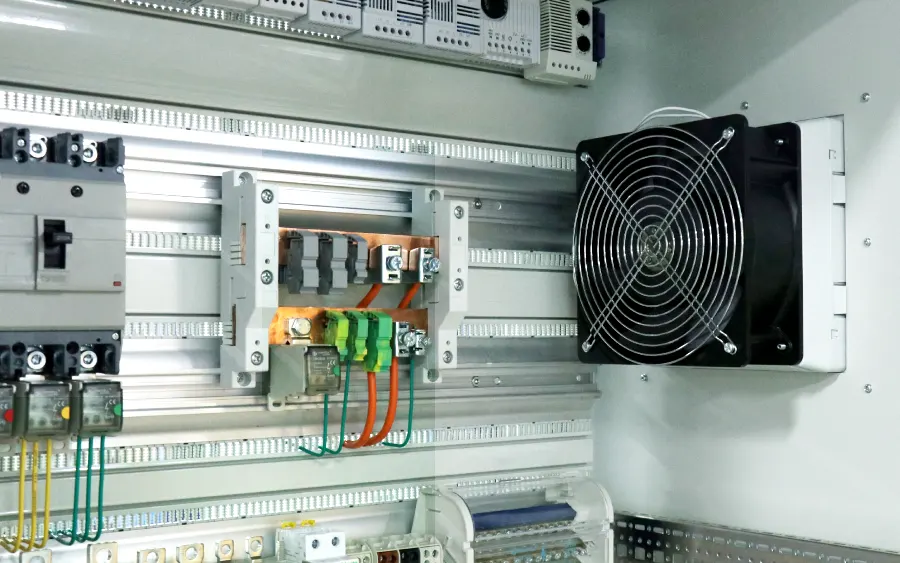
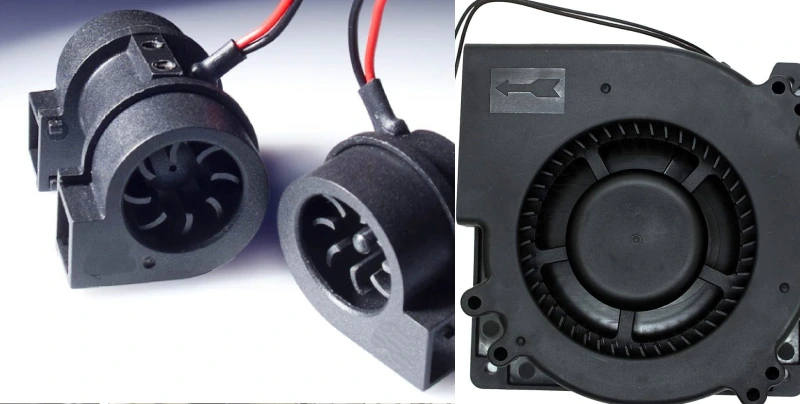
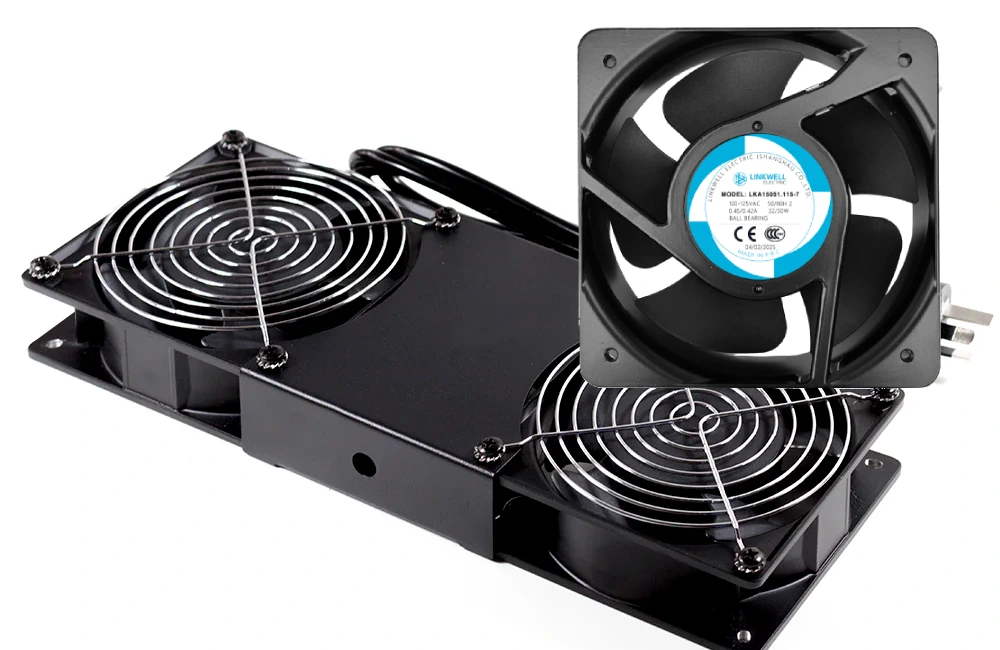
You want the right fan size for top cooling in cabinets, computers, and refrigerators. The size you pick changes cooling, noise, and energy use. Bigger fans push more intake and exhaust air, giving high airflow and better cooling with less noise. Smaller fans fit tight spaces but may run louder and use less energy. Fan placement matters, too. If you set intake and exhaust fans in smart spots, you boost cooling and airflow dynamics. Check the tables below to compare fan performance and placement for each application.
| Fan Size | Applications | Impact on Cooling Efficiency | Noise Levels | Energy Consumption |
|---|---|---|---|---|
| 80mm | Compact systems, legacy devices | Limited due to size | Higher noise in small spaces | Lower energy consumption |
| 120mm | Standard PCs, gaming systems | Balanced cooling | Moderate noise levels | Moderate energy consumption |
| 140mm | High-performance systems | Superior cooling | Lower noise levels | Higher energy consumption |
| 200mm | Enthusiast builds, server cabinets | Maximum airflow | Very low noise | Higher energy consumption |
| Fan Size | Description |
|---|---|
| 120mm | Standard size for most PC cases, balancing airflow and noise levels. |
| 140mm | Preferred for enhanced airflow with lower noise, ideal for high-performance systems. |
| 80mm | Designed for small form factor cases, effective in compact setups. |
| 200mm | Used in larger cases for impressive airflow and quieter performance. |
Key Takeaways
- Choose 120mm or 140mm fans for cabinets to ensure strong airflow and low noise. These sizes fit most industrial and telecom setups.
- For computers, 120mm fans work well for standard builds, while 140mm fans provide better airflow and quieter operation. Upgrade for improved cooling.
- Use 120mm fans in refrigerators for reliable cooling. They balance airflow and energy efficiency, keeping food fresh without excess noise.
- Always measure your space before selecting a fan. Ensure the fan fits properly to maximize cooling efficiency and minimize noise.
- Consider features like low noise and energy efficiency when choosing fans. Larger fans often run quieter and save energy while providing better airflow.
Cabinet Fan Size and Options
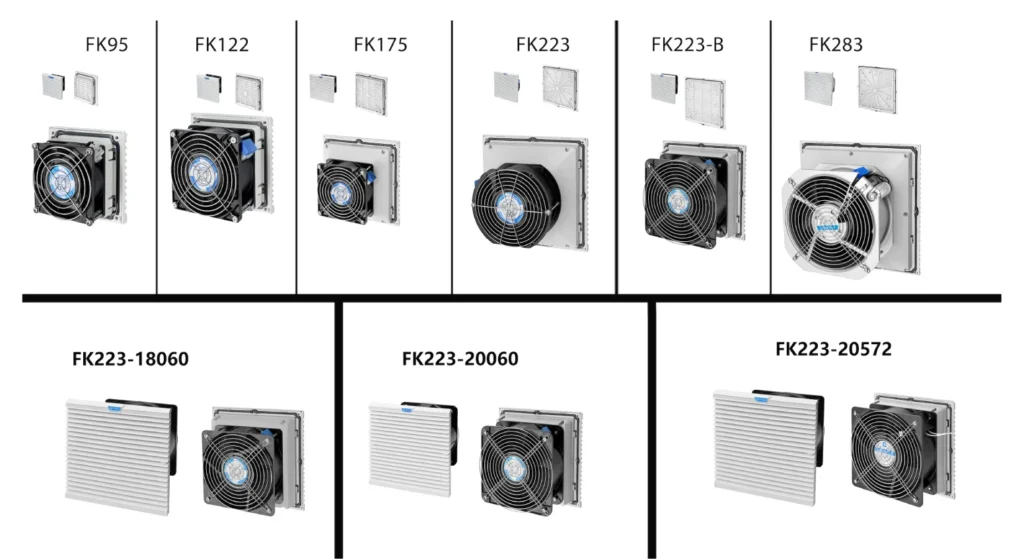
Recommended products
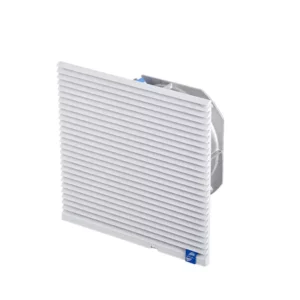

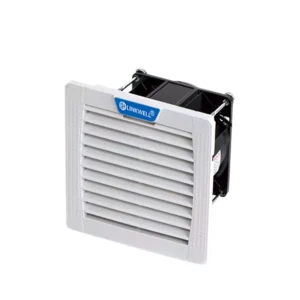

120mm Fans for Cabinets
You see 120mm fans everywhere in cabinet cooling. This fan size fits most industrial and telecom cabinets. You get balanced airflow and cooling without taking up too much space. Many professionals pick 120mm fans because they last up to 67,000 hours with dual ball bearings. You can use them in theater cabinets, amplifiers, and control panels. The heavy-duty die-cast aluminum housing makes them tough. Standard sizing means you can swap them out easily when you need a replacement. If you want reliable cooling and easy maintenance, 120mm fans are a smart choice.
140mm Fans and Larger Choices
140mm fans step up your cooling game. You get more airflow and lower noise compared to smaller types of case fans. Larger cabinets need 140mm fans or even bigger ones to handle extra heat. These fans fit well in telecom racks and industrial enclosures. You can find 140mm fans with advanced features like variable speed and quiet operation. If your cabinet has more equipment or runs hotter, 140mm fans help keep everything cool. You should match the fan size to your cabinet’s layout, vents, and mounting points for the best performance.
Linkwell Cabinet Fan Features
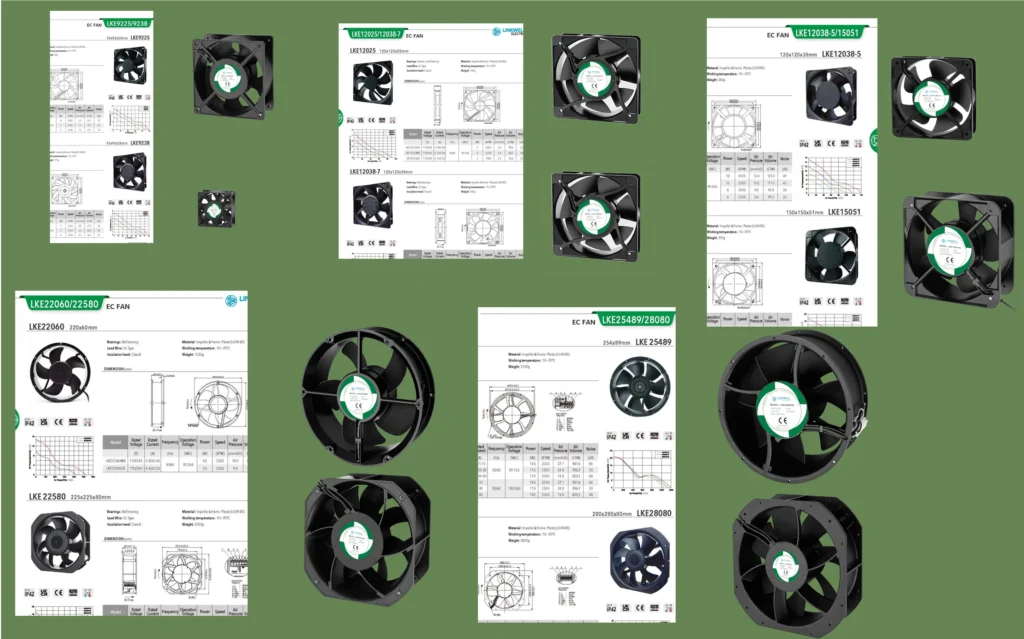
Linkwell offers cabinet fans with features that make your job easier. You get airflow from 750 to 1350 m³/h and noise levels starting at 40 dB. You can choose from voltages like 220 V, 230 V, 24 V DC, and 48 V DC. These fans run at speeds from 2900 to 3450 RPM. You get plastic or die-cast aluminum frames, dual ball bearings, and compliance with EU and CE standards. Linkwell fans last up to 50,000 hours and offer customization options. You can pick IP54 protection for dust and moisture resistance. Here’s a quick look:
| Feature | Details |
|---|---|
| Airflow | 750~1350 m³/h |
| Noise Level | 40.0 dB+ |
| Voltage | 220 V, 230 V, 24 V DC, 48 V DC |
| Speed | 2900-3450 RPM |
| Material | Plastic, Die-Cast Aluminum |
| Compliance | EU, CE |
| Customization | Yes |
Installation and Noise Tips
You want your cabinet fans to run quietly and efficiently. Try these tips:
- Use vibration isolators to cut down on noise.
- Place fans away from noise-sensitive areas.
- Install flexible duct connectors to stop vibrations.
- Add acoustic lining or insulation inside ducts.
- Schedule regular maintenance to keep fans working smoothly.
- Pick low-noise models and variable-speed fans for quiet cooling.
- Insulate cabinets to contain sound.
If you follow these steps, you get better cooling and less noise. You keep your workspace comfortable and your equipment safe.
Computer Case Fans and Sizing
120mm vs 140mm Computer Case Fans
You probably see 120mm and 140mm case fans in most modern computers. Both sizes work well, but each has its own strengths. If you want a quick comparison, check out this table:
| Metric | 120mm Fans | 140mm Fans |
|---|---|---|
| Noise Levels | Generally louder at same CFM | Quieter at same rated CFM |
| Airflow | May have lower airflow | Higher airflow due to larger blades |
| Static Pressure | Better for heatsinks and radiators | May underperform in static pressure |
| Application Suitability | Great for radiators and heatsinks | Best for case intake and exhaust |
You get more airflow and less noise with 140mm case fans, especially for intake and exhaust. If you need strong static pressure for a radiator, 120mm fans often perform better.
Airflow and Noise Balance
You want your computer to stay cool without sounding like a jet engine. Larger case fans, like 120mm or 140mm, move more air at lower speeds. This means you get better airflow and quieter operation. Here’s a quick look:
| Fan Size | Airflow | Noise Level |
|---|---|---|
| 90mm | Adequate | Lower |
| 120mm | More | Very Quiet |
A 100 CFM 120mm fan is a top pick for quiet cooling. If you want less noise, choose bigger case fans when your case allows.
Linkwell Computer Chassis Fan Advantages
Linkwell’s computer case fans stand out for durability and efficiency. You get reliable cooling, strong airflow, and low noise. These fans last up to five years, so you don’t have to worry about downtime. They fit easily into most cases and work with different setups. Here’s what you get:
| Advantage | Description |
|---|---|
| Reliable Cooling | Keeps your system safe under heavy use |
| Strong Air Movement | Delivers high airflow for effective cooling |
| Low Noise | Runs quietly, perfect for offices and data centers |
| Long-lasting Performance | Designed for years of use, reducing downtime |
| Easy Installation | Fits most cases and supports various pc fan sizes |
You can also check out Linkwell’s Axial Fan for even more airflow in custom builds.
Compatibility and Selection Tips
Picking the right case fans means checking a few things:
- Make sure your case supports the fan size you want and has the right mounting holes.
- Think about airflow needs. Small cases may need 80mm or 92mm case fans, while big towers work best with 140mm or 200mm case fans.
- Go for the largest compatible case fans to keep noise down.
- High-performance systems need bigger or extra case fans for better cooling.
- If you care about looks, pick case fans with RGB that match your style.
Choosing the right fan size and number of case fans helps you get the best cooling and quiet operation for your setup.
Refrigerator Fan Size Guide
120mm Fans for Refrigerators
You probably notice that most refrigerators use 120mm fans. This fan size is popular because it fits well inside standard fridge compartments and delivers strong airflow for cooling. Manufacturers choose 120mm fans since they balance airflow, noise, and energy use. You get enough cooling to keep food fresh without making your kitchen sound like a wind tunnel. The 120mm fan size also makes replacements easy. You can find compatible fans at most hardware stores or online.
Linkwell offers DC Fan and Axial Fan options that work perfectly for refrigerator cooling. These fans come in 120mm sizes and provide reliable airflow for heat dissipation. You can pick models with waterproof ratings, so you don’t worry about moisture or spills. If you want a fan that lasts, Linkwell’s fans give you long service life and stable cooling performance.
Cooling Efficiency and Energy Use
You want your refrigerator to run efficiently and keep your food safe. The right fan size helps with cooling and energy savings. A 120mm fan moves enough air to support heat dissipation, so your fridge doesn’t overheat. You get better airflow, which means the compressor works less and uses less electricity. If you install a high-quality fan, you notice lower energy bills and more consistent cooling.
Linkwell DC Fans and Axial Fans use advanced motors that optimize airflow and cooling. These fans run quietly and save energy. You can choose models with smart speed control, so the fan adjusts to the fridge’s needs. This keeps cooling steady and reduces wear on the fan.
Tip: Insulating the refrigerator cabinet boosts cooling efficiency. You also want to keep a 1-inch gap behind the fridge for proper airflow.
Replacement and Upgrade Advice
If your refrigerator fan stops working or you want better cooling, you can upgrade easily. Manufacturers recommend adding extra fans for better performance, especially in hot climates. You should always mount fans securely and follow visual guides from the manufacturer’s website.
Here’s a quick checklist for replacing or upgrading refrigerator fans:
- Pick a fan size that matches your fridge compartment.
- Choose fans with waterproof ratings for safety.
- Install additional fans if you need more cooling.
- Keep a gap behind the fridge for airflow.
- Insulate the cabinet to improve cooling efficiency.
- Use mounting guides for proper installation.
Linkwell DC Fans and Axial Fans make upgrades simple. You get models with easy mounting and long-lasting heat dissipation. If you want to boost refrigerator performance, these fans are a smart choice.
Fan Size Comparison Table
Cabinet vs Computer vs Refrigerator Fans
You might wonder how fan size changes the cooling in cabinets, computers, and refrigerators. Here’s a quick table to help you compare the most common sizes and features for each use:
| Application | Typical Fan Size | Cooling Needs | Noise Level | Linkwell Product Match |
|---|---|---|---|---|
| Cabinet | 120mm, 140mm+ | High airflow, stable | Low to moderate | Cabinet Fan, Axial Fan |
| Computer | 120mm, 140mm | Balanced, flexible | Quiet preferred | Computer Chassis Fan, Axial Fan |
| Refrigerator | 120mm | Steady, reliable | Very quiet | DC Fan, Axial Fan |
You see that 120mm fans work well for most cooling jobs. Larger fans, like 140mm, give you more airflow and less noise in bigger cabinets or high-performance computers. For refrigerators, 120mm fans keep things cool and quiet.
Note: Linkwell offers custom fan options for all these uses. You can pick the right size, voltage, and features for your project.
Key Sizing Factors
When you choose a fan, you want to match the size to your cooling needs. Here are some key things to think about:
- Space: Check how much room you have for the fan. Bigger fans need more space but move more air.
- Airflow: Look at how much air you need to move. High-power equipment or packed cabinets need larger fans.
- Noise: If you want a quiet space, pick a bigger fan that runs at lower speeds.
- Energy Use: Larger fans can be more efficient for cooling, but you should check the power rating.
- Mounting: Make sure the fan fits your mounting holes and layout.
Linkwell makes it easy to get the right fan for your setup. You can ask for custom sizes, special voltages, or extra features like waterproofing. Their support team helps you pick the best fan for top cooling performance.
Choosing the Right Fan Size
Assessing Space and Mounting
Before you pick a fan, you need to check the available space and mounting options. Start by measuring the area where you want to install the fan. Make sure you have enough clearance on all sides—aim for at least 18 to 24 inches around the fan for proper airflow. If you’re working with a cabinet or a pc cooling setup, check that the mounting holes match your chosen fan size. For ceiling or wall-mounted fans, keep the blades at least 8 inches from the ceiling and 7 feet above the floor. This helps you get the best cooling performance and avoids any fitment issues.
If you have a tall cabinet or a high ceiling, consider using downrods or brackets to position the fan at the right height. Always leave enough space behind and around the fan so air can move freely. Obstructions like cables, shelves, or even curtains can block airflow and reduce cooling. When you plan your mounting, you make sure your fan works efficiently and lasts longer.
Matching Cooling Needs
Getting the right cooling means matching your fan to the heat load of your system. Think about how much heat your equipment or room produces. For example, a gaming computer with a powerful radiator or a packed server cabinet will need more airflow than a simple home PC. You can estimate the cooling load by looking at the number of devices, their power usage, and the temperature you want to maintain.
External factors like room temperature, sunlight, and humidity also play a role. If your space gets hot or humid, you might need a larger fan or more fans to keep things cool. For pc cooling, always check if your radiator or heatsink needs a high static pressure fan. This helps push air through tight spaces and boosts cooling performance. When you match your fan size to your cooling needs, you protect your components and improve overall performance.
Tip: If you’re not sure how much cooling you need, Linkwell’s team can help you calculate the right airflow and suggest the best fan for your setup.
Noise and Energy Considerations
You want your cooling to be quiet and efficient. Larger fans usually move more air at lower speeds, which means less noise and better energy savings. When you select a fan, look at the balance between pressure and airflow. If you increase the pressure, the flow rate might drop, which can affect both noise and energy use.
The operating point of your fan depends on how much resistance your system has. For example, a dense radiator or a packed cabinet will need a fan that can handle higher pressure. If you choose a fan that matches your system’s resistance, you get better cooling performance without wasting energy or creating extra noise. Always check the fan’s specs for noise levels and power consumption. This helps you pick a fan that keeps your space comfortable and your energy bills low.
Step-by-Step Selection Guide
Ready to choose the perfect fan? Here’s a simple guide to help you:
- Identify where you want to install the fan—cabinet, computer, or refrigerator.
- Measure the available space and check for mounting holes or brackets.
- Figure out the air density and temperature at the fan’s location.
- Decide how much airflow you need based on your cooling requirements.
- Check the pressure needed to move air through your system, especially if you have a radiator or filters.
- Pick a fan size that fits your space and meets your airflow and pressure needs.
- Look for features like low noise, energy efficiency, and easy installation.
- If you need special connectors, voltages, or custom features, reach out to Linkwell for help.
| Linkwell Customization & Support | Details |
|---|---|
| Voltage Options | 5V to 48V |
| Connector Types | 2-pin, 3-pin, 4-pin |
| Customization Support | OEM-specific terminations |
| Installation Manuals | Step-by-step guides |
| Airflow Optimization Advice | Personalized recommendations |
| Troubleshooting Guides | Quick solutions for issues |
You don’t have to figure it all out alone. Linkwell offers personalized support, from airflow optimization to installation manuals. Their team can help you select the right fan for any application, whether you need pc cooling, a new radiator fan, or reliable component cooling for your cabinet or refrigerator.
Note: Environmental factors like temperature and humidity can affect cooling performance. Always consider these when choosing your fan.
By following these steps, you make sure your fan delivers the best cooling, fits your space, and runs quietly and efficiently.
Conclusion
You’ve seen how much fan size matters for cooling cabinets, computers, and refrigerators. Picking the right size keeps your equipment safe, quiet, and energy-efficient. You don’t want to guess when it comes to cooling—your devices deserve the best airflow.
Let’s recap the key points:
- Cabinets: Go with 120mm or 140mm fans for most industrial and telecom cabinets. These sizes give you strong airflow and low noise. Linkwell’s Cabinet Fans and Axial Fans fit perfectly and last for years.
- Computers: Choose 120mm fans for standard builds. If you want more airflow and less noise, 140mm fans are a great upgrade. Linkwell’s Computer Chassis Fans and Axial Fans keep your system cool and quiet.
- Refrigerators: Stick with 120mm fans for reliable cooling. Linkwell’s DC Fans and Axial Fans offer waterproof options and long service life.
Tip: Always measure your space before buying a fan. Bigger isn’t always better if it doesn’t fit!
Here’s a quick table to help you remember:
| Application | Recommended Fan Size | Linkwell Product Suggestion |
|---|---|---|
| Cabinet | 120mm, 140mm+ | Cabinet Fan, Axial Fan |
| Computer | 120mm, 140mm | Computer Chassis Fan, Axial Fan |
| Refrigerator | 120mm | DC Fan, Axial Fan |
If you’re not sure which fan to pick, reach out to Linkwell’s support team. They can help you choose the right size, voltage, and features for your project. You get expert advice, fast delivery, and custom solutions.
You don’t have to settle for guesswork. With the right fan size and Linkwell’s help, you keep your equipment running cool, quiet, and efficient. Ready to upgrade your cooling? Visit Linkwell Electric and get started today!
Choosing the right fan size keeps your equipment cool, quiet, and efficient. You want a 120mm or 140mm fan for most cabinets and computers, while refrigerators work best with a 120mm fan. Linkwell fans stand out for their reliable build, fast delivery, and easy mounting.
“We chose Linkwellelectrics’ Electrical Cabinet AC Units because of their reliable build, competitive pricing, and fast lead times. Our clients in the field appreciate the easy mounting and high durability, especially in dusty environments like power stations and data centers.”
Remember these tips:
- Pick fans based on your equipment’s heat output.
- Clean your fans and filters often.
- Use tools like the Enclosure Cooling Calculator for Beginners for help.
If you need advice, Linkwell’s team is ready to help you find the perfect fit.
FAQ
What fan size should I use for a small cabinet?
You want a 120mm fan for most small cabinets. This size gives you good airflow and fits tight spaces. If your cabinet is very compact, try an 80mm fan.
How do I know if a 140mm fan fits my computer case?
Check your case’s manual or look for mounting holes labeled for 140mm fans. If you see only 120mm holes, stick with that size. Measure the space to be sure.
Can I use a Linkwell fan in my refrigerator?
Yes! Linkwell’s 120mm DC Fans and Axial Fans work great in refrigerators. They offer waterproof options and long service life. You get reliable cooling and easy installation.
How often should I clean or replace my fan?
Clean your fan every 3–6 months. Dust can block airflow and make your fan noisy. Replace the fan if you hear rattling, see slow spinning, or notice poor cooling.
Where can I get help choosing the right fan size?
Need help? Contact Linkwell’s support team. They offer expert advice, custom solutions, and quick answers. You can reach them by phone, email, or through their website.