
Wondering how to control cabinet fan speed? You can do it by adjusting the fan settings or using a controller to match your cooling needs. Managing fan speed keeps your cabinet cool, reduces noise, saves energy, and helps your equipment last longer. Did you know up to 65% of equipment failures are caused by poor cooling? If you control your fan speed, you can cut energy use by almost half when you reduce the speed just a little. Here’s how to control cabinet fan speed for better performance and peace of mind. Many people ask how to control cabinet fan speed in industrial settings, and the answer often starts with quality products. That’s why you should trust Linkwell for solutions on how to control cabinet fan speed in your cabinets.
- Up to 65% of equipment failures happen because of bad cooling.
- Reducing fan speed from 100% to 80% can lower power use by 47%.
If you want to know how to control cabinet fan speed for the best results, Linkwell has you covered.
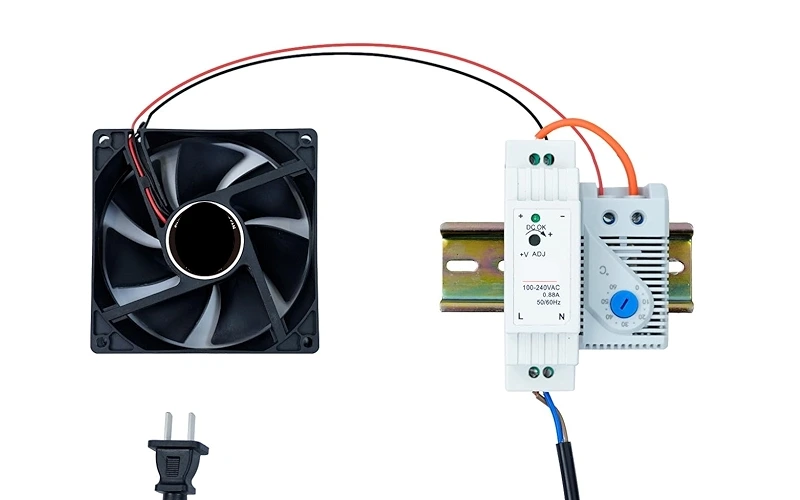
Key Takeaways
- Controlling cabinet fan speed can prevent up to 65% of equipment failures caused by overheating.
- Reducing fan speed from 100% to 80% can save nearly 47% on energy costs, benefiting both your wallet and the environment.
- Choose the right fan type and controller for your setup to ensure optimal cooling and efficiency.
- Regular maintenance, like cleaning filters and checking airflow, keeps your fans running smoothly and extends their lifespan.
- Linkwell offers reliable fan solutions that simplify installation and control, helping you maintain a cool and quiet workspace.
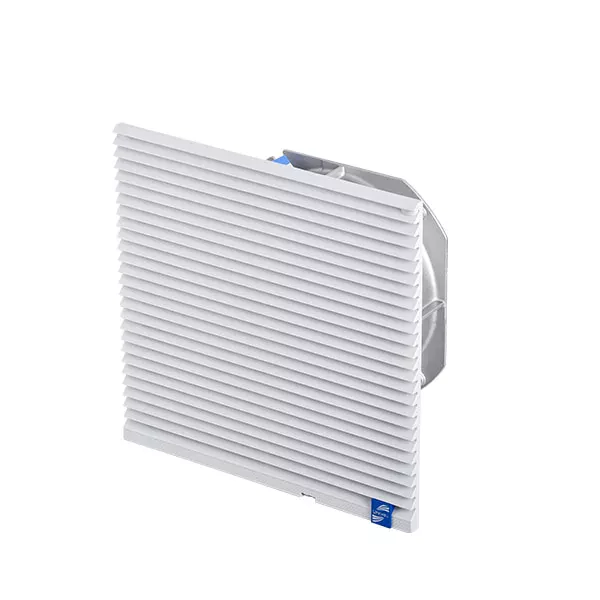
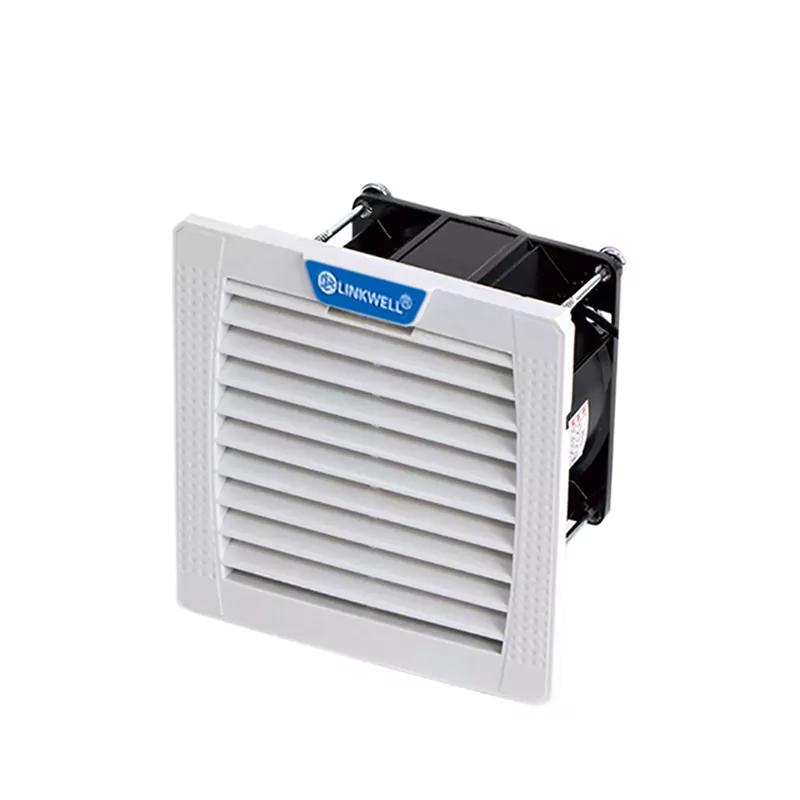
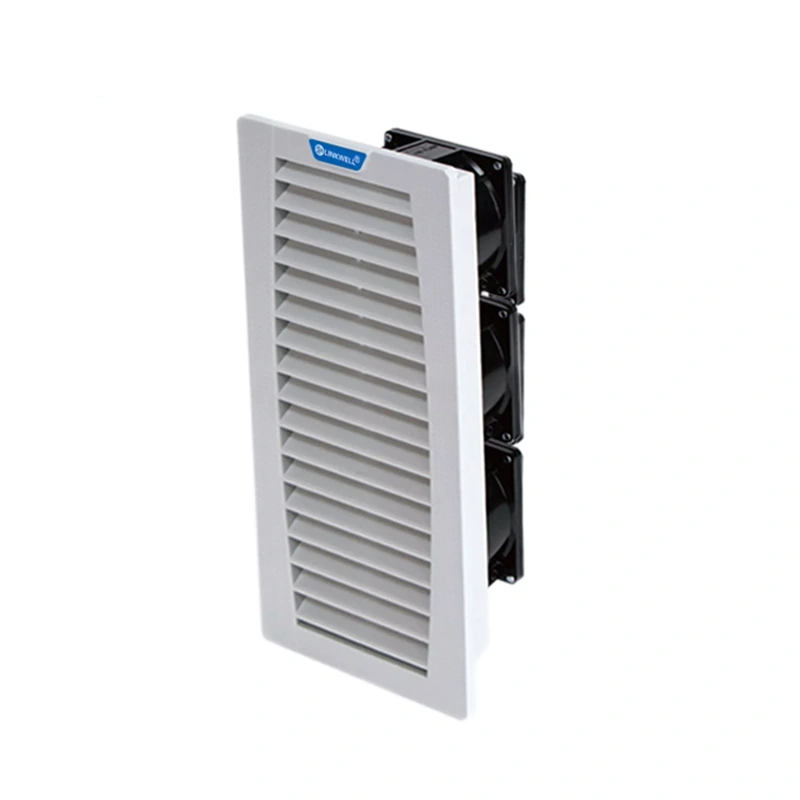
Recommended products

Why Control Cabinet Fan Speed
Temperature and Equipment Protection
You want your equipment to last as long as possible. Controlling fan speed helps you do that. When you adjust fan speed, you keep the temperature inside your cabinet steady. This protects sensitive electronics from overheating. If you let the temperature get too high, you risk damaging your equipment and facing expensive repairs.
Here’s what happens when you manage fan speed for better cooling:
- Heat dissipation improves, so your electronics stay safe.
- You keep the air inside your cabinet at a safe temperature.
- You avoid sudden temperature spikes that can cause failures.
- Your equipment lasts longer because it stays cool.
You can see that cooling is not just about comfort. It’s about protecting your investment and making sure your systems run smoothly every day.
Tip: Stable fan speed means fewer breakdowns and less downtime for your business.
Noise and Energy Savings
No one likes a noisy workspace. When you control fan speed, you lower the noise level in your environment. This makes it easier to focus and keeps your workplace comfortable. You also boost energy efficiency, which means you save money on your power bills.
Take a look at the main reasons for controlling cabinet fan speed in industrial and commercial settings:
| Reason | Description |
|---|---|
| Energy Efficiency | Regulating fan speed reduces energy consumption, leading to cost savings and a smaller carbon footprint. |
| Enhanced Equipment Longevity | Stable temperatures prevent overheating, extending equipment life and reducing maintenance costs. |
| Improved Air Quality | Adjusting airflow enhances worker comfort and safety by controlling dust and fumes. |
| Noise Reduction | Modulating fan speed lowers noise levels, creating a quieter environment. |
You can see real results from adjusting fan speed for energy efficiency and noise reduction:
| Metric | Value |
|---|---|
| Overall measured cooling season savings | 36% |
| Savings during summer peak hours | 41% |
| Median weather-normalized energy savings | 21% |
When you focus on energy efficiency, you help the planet and your wallet. Lower fan speed means less power used for cooling, and less noise in your workspace. That’s a win-win for you and your equipment.
Identify Fan Type and Controller
Before you start controlling your cabinet fan speed, you need to know what kind of fan and controller you have. This step makes everything easier later on. If you get it right, you’ll pick the best control method and avoid headaches down the road.
AC vs DC Fans
You’ll find two main types of cabinet fans: AC and DC. AC fans use alternating current, while DC fans run on direct current. Each type has its own benefits and speed control options.
Here’s a quick comparison:
| Feature | AC Fans | DC Fans |
|---|---|---|
| Speed Control Options | Limited to 3-4 preset speeds | Precise speed adjustments |
| Flexibility | Less flexible | More flexible |
| Noise Levels | Generally noisier | Quieter |
DC fans give you more control over speed and airflow. They’re quieter and save energy. AC fans work well for basic cooling but don’t offer as many speed choices.
Built-in vs External Controllers
Fan controllers come in two styles: built-in and external. Built-in controllers sit right on the cabinet, so you can adjust settings easily. External controllers offer advanced features and can handle more fans, but they take a bit more effort to install.
| Feature | Built-in Controllers | External Controllers |
|---|---|---|
| Installation Complexity | Easier | More complex |
| Performance | Basic functions | Advanced features |
| Accessibility | Convenient | Needs separate mounting |
| Scalability | Limited | Can manage multiple fans |
If you want simple control, built-in options work well. For bigger projects or more fans, external controllers give you more flexibility.
Linkwell Cabinet Fan Features
Linkwell cabinet fans make speed control simple and reliable. You get:
- Multiple speed options for precise airflow.
- IP68 protection against dust and water.
- Speed adjustment and detection.
- Fault alarm capabilities for extra safety.
- EC axial fans with PWM control for smart energy use.
- Flame-retardant materials and wide temperature range.
You can trust Linkwell fans to keep your equipment cool and safe, whether you need basic cooling or advanced control.
Tip: Check your cabinet fan type and controller before choosing a speed control method. Linkwell offers solutions for every setup!
Fan Speed Control Methods
You have plenty of ways to manage fan speed control in your cabinet. Each method gives you a different level of control, so you can pick what fits your needs best. Let’s break down the most popular methods and see how Linkwell Cabinet Fans and Exhaust Fans make the process easier.
Manual Fan Speed Controller
Manual fan speed controllers let you adjust fan speed by hand. You might use a switch, knob, or slider to set the airflow. These controllers work well if you want simple control without extra features.
| Type of Switch | Description | Use Cases |
|---|---|---|
| Single Speed Switches | Operate at a set speed or off, simple and cost-effective. | Great for basic setups needing minimal control. |
| Multi-Speed Switches | Offer a range of speed settings for customized airflow and comfort. | Perfect if you want more control throughout the day. |
| Rotary Control Switches | Feature a knob for easy speed adjustment with tactile feedback. | Easy to use in many settings. |
| Slide Control Switches | Use a linear slider for gradual speed changes, modern appearance. | Good for intuitive airflow adjustments. |
You can find manual fan speed controllers on many Linkwell fans. They help you save energy and keep things comfortable.
Automatic (Thermostatic) Control
Automatic fan speed controllers use sensors to adjust fan speed based on temperature. You don’t have to do anything—just set it and let the system work.
| Benefit | Description |
|---|---|
| Energy Savings | Cooling costs drop by 10-40%. Heating costs fall up to 30%. |
| Improved Comfort | Automated temperature control keeps your cabinet at the right level. |
| Enhanced Air Quality | Continuous air circulation reduces dust and allergens. |
Linkwell offers automatic fan speed controller options that keep your equipment safe and your workspace comfortable.
PWM Fan Speed Control
PWM (Pulse Width Modulation) fan speed control gives you precise airflow. You get quiet operation and better energy efficiency.
- PWM fans match airflow to your system’s needs.
- They run slower when full power isn’t needed, so you hear less noise.
- PWM technology uses only the power required, saving energy.
Many users notice a big drop in noise levels when they switch from DC fans to PWM fans. PWM fans adjust their speed based on temperature. When your system is idle or under light load, the fan speed drops, and you hear less noise.
Linkwell Cabinet Fans support PWM fan speed control for advanced fan control systems.
Voltage Control Methods
Voltage control methods let you change fan speed by adjusting the voltage. This method works best for simple setups, but it has some limits.
- Lower voltage can cause heat buildup, so you need to watch for burnout.
- Smaller fans may use more power per watt.
- Fan output can drop if conditions change, since voltage doesn’t adjust automatically.
Linkwell fans handle voltage control well, but you get more flexibility with other methods.
Software-Based Fan Control
Software-based fan speed control lets you manage fan speed from your computer or control panel. You can set schedules, monitor performance, and make changes without touching the hardware.
If you want the best fan speed controller for remote management, Linkwell’s smart fans and controllers work with software for easy adjustments.
Why choose Linkwell Cabinet Fans and Exhaust Fans?
You get flexible fan speed control, reliable performance, and easy installation. Whether you want manual, automatic, or advanced fan control systems, Linkwell has the best fan speed controller for your setup.
How to Control Cabinet Fan Speed Step by Step
Ready to take control of your cabinet’s cooling? This step-by-step guide will walk you through the process, making it easy to set up fan speed controllers and get the best performance from your Linkwell cabinet fans. Let’s break it down so you can keep your equipment safe, quiet, and energy-efficient.
Select the Right Method
You want the best fan speed control for your cabinet. Start by thinking about your cabinet’s size, the type of equipment inside, and your cooling needs. Not every fan speed controller works for every setup, so matching the right method is key.
Here’s a table to help you decide:
| Factor | Description |
|---|---|
| Fan Size and Mounting | Match the cooling system to your cabinet’s needs. Larger cabinets need stronger cooling. |
| Noise and Energy Efficiency | Consider how much noise you can tolerate and how much energy you want to save. |
| Reliability and Maintenance | Pick fan speed controllers that deliver consistent performance and can handle tough conditions. |
| Compatibility | Make sure the controller fits your cabinet’s mounting pattern and thickness. |
If you have a small control box, a manual fan speed controller might be enough. For larger cabinets or sensitive electronics, automatic or PWM fan speed controllers offer more precision and energy savings. Linkwell gives you options for every scenario, from basic manual switches to smart controllers with software integration.
Tip: Always check your cabinet’s specs and the fan’s voltage before choosing a fan speed controller. Linkwell’s product range covers everything from 5V to 48V, so you’ll find a perfect match.
Install the Fan Speed Controller
Once you’ve picked your fan speed controller, it’s time to install it. You don’t need to be an expert—just follow these simple steps to get started:
- Choose the right spot for your fan. Place it where it can move air efficiently and keep equipment cool.
- Make sure the ground is level and stable. This helps prevent vibration and unwanted noise.
- Leave enough space around the cabinet for airflow and easy maintenance.
- Follow local safety codes. Ground the system properly to avoid electrical hazards.
- Put on protective gloves and safety glasses before handling any electrical parts.
- Turn off power to the cabinet before you start. Safety first!
- Use fans with the right NEMA rating for your enclosure type.
- Test the fan’s operation and airflow direction before mounting.
- Position air inlets and outlets for the best airflow.
- If you’re installing fans on cabinet doors, make sure the doors can support their weight.
- For outdoor cabinets, add rain shrouds to keep water out.
- Check that there’s enough clearance around air inlets and outlets.
Linkwell cabinet fans come with easy mounting options, like embedded nuts and buckle-opening designs. You’ll spend less time on installation and more time enjoying reliable cooling.
Note: Always de-energize your electrical enclosure before installing fan speed controllers. This keeps you safe and protects your equipment.
Adjust Settings for Optimal Performance
After installing your fan speed controller, you need to fine-tune the settings for the best results. You want your cabinet to stay cool without wasting energy or making too much noise.
- Identify your fan connectors. If you have 3-pin connectors, set them to DC mode. For 4-pin connectors, use PWM mode.
- Adjust BIOS or control panel settings so the temperature source is set to the motherboard. This lets your fan speed controller regulate fan speed based on actual workload.
- Test different speed settings. Start with a lower fan speed and increase it if temperatures rise.
- Monitor noise levels. If the fan gets too loud, lower the speed or switch to a quieter mode.
- Check airflow regularly. Make sure the fan speed controller keeps air moving through the cabinet.
Linkwell fan speed controllers make these adjustments simple. You can use manual switches, thermostatic controls, or software-based systems to get the perfect balance of cooling and quiet operation.
Callout: If you notice your equipment getting warm, bump up the fan speed. If everything stays cool, try lowering the speed to save energy.
Linkwell Cabinet Fan Installation Tips
Want to get the most out of your Linkwell cabinet fans? Follow these tips to maximize efficiency and lifespan:
- Position the air intake at the bottom and the exhaust at the top. This uses natural convection to boost airflow.
- Keep the area around the fan clear. Obstructions can cut down on performance.
- Install filters on the air inlet. This keeps dust out and protects your electronics.
- Seal all openings for fans and filters. This maintains the enclosure’s integrity and prevents leaks.
- Schedule regular maintenance. Check and replace filters to keep airflow strong.
- Use a front-in, rear-out airflow design for better ventilation.
- Clean your cooling system every few months to maintain peak performance.
- Pick fans with safety certifications and long lifespans. Linkwell fans are built to last and meet international standards.
Tip: Linkwell cabinet fans and exhaust fans are designed for easy installation and minimal maintenance. You’ll spend less time worrying about cooling and more time focusing on your work.
With these steps, you can set up fan speed controllers, adjust fan speed, and keep your cabinet running smoothly. Linkwell makes fan speed control easy, reliable, and efficient—so you get peace of mind and better performance every day.
Fan Speed Control Troubleshooting
When you set up fan speed control in your cabinet, you want everything to run smoothly. Sometimes, things don’t go as planned. Let’s look at common problems and how you can fix them.
Fan Not Responding
If your fan doesn’t react to changes in fan speed, start with a quick check:
- Inspect all wiring connections at the fan speed controller. Look for loose or damaged wires.
- Test the power supply with a multimeter. Make sure the fan gets enough voltage.
- Check the PWM pin and make sure it’s attached securely.
- If your fan has LED indicators, see if they light up. If all LEDs are on, you might need to replace the control module.
- Try turning the pot screw. If it’s fully clockwise, the fan may not turn on.
- Ground the temperature sensor terminal to see if the fan starts. This can show if the sensor is faulty.
Tip: Connect the fan motor wires directly to a battery. If the fan spins, the motor works fine.
Unusual Noise or Vibration
You might hear strange sounds or feel vibration from your fan. Here’s what you can do:
- Clean the fan wheel to remove dust or material build-up.
- Replace the fan wheel if it looks worn or corroded.
- Tighten any loose fasteners.
- Realign drive components to reduce vibration.
- Swap out defective bearings.
- Avoid running the fan near its critical speed or resonant frequency.
Noise can also come from dry shaft seals or air moving through ducts. Lubricate seals and check duct design if needed.
Overheating Issues
If your cabinet gets too hot, check these areas:
- Make sure airflow isn’t blocked by dust or debris.
- Look at the ambient temperature around your cabinet.
- Check for internal heat sources like transformers or VFDs.
- Confirm that ventilation is adequate and fans are working at the right fan speed.
Alert: Overheating can damage your equipment. Keep filters clean and fans running at the correct speed.
Compatibility Checks
You want your fan speed controller to match your cabinet fan. Here’s a quick table to help you check compatibility:
| Model | Features |
|---|---|
| FU95 | Speed controller with on/off switch, 5 Amps |
| LK3237 | Slide bar for speed adjustment, ON/OFF switch |
| Low Profile Cooler | Rotary variable speed controller, heavy duty |
| LK3240 | PWM motor, reduced noise, high airflow |
Always match the voltage and control type. If you use a PWM fan, make sure your controller supports PWM fan speed control.
Note: If you’re unsure, ask your supplier or check the product manual for details.
Fan Performance Tips
Regular Maintenance
You want your cabinet fans to last and work at their best. Regular maintenance makes a big difference. Here are some simple steps you can follow:
- Clean filters and vents every three months. This keeps airflow strong and prevents dust from blocking your fan.
- Check for signs of wear, like corrosion or cracks. If you spot damage, fix it right away.
- Listen for odd sounds. Unusual noises can mean your fan needs attention.
- Inspect gaskets and seals. Make sure they are tight to keep out moisture and dirt.
- Watch your cabinet’s temperature. If it gets too warm, your cooling system might need a tune-up.
Tip: Set a reminder to check your fans and filters every season. This habit helps you avoid sudden breakdowns.
You can also measure airflow and monitor static pressure. These checks help you spot problems before they get worse.
Upgrading to Linkwell Smart Controllers
Thinking about better control? Linkwell smart controllers give you more options than basic switches. Take a look at what you get:
| Benefit | Description |
|---|---|
| Precise Speed Control | Adjust fan speed based on system temperature for perfect cooling. |
| Lower RPM Operation | Run fans at lower speeds when full power isn’t needed, so you get less noise. |
| Energy Efficiency | Use less power and enjoy a quieter workspace. |
With smart controllers, you can set your fan speed to match your needs. You save energy and keep your equipment safe. Linkwell makes it easy to upgrade, so you get more control without extra hassle.
Monitoring Temperature and Airflow
Keeping an eye on temperature and airflow helps you get the most from your cabinet fans. Try these tips:
- Place thermal probes in smart spots. Avoid putting them right in front of the fan, so you get true readings.
- Use more than one sensor. Check both intake and exhaust temperatures for a full picture.
- Program temperature settings for different zones. This lets you control fan speed in each area.
- Set start and stop points for your fans. You decide when they turn on or off.
- Try wireless thermal mapping. This gives you real-time updates and helps you spot hot spots fast.
Note: Good sensor placement and regular checks help you avoid wasted energy and keep your equipment cool.
When you follow these tips, you keep your fan speed under control and your cabinet running smoothly.
Conclusion
You’ve made it to the end of your cabinet fan speed control journey! Now you know how to keep your equipment cool, quiet, and running strong. Let’s wrap up with the most important steps you should remember:
- Pick the right fan for your cabinet size and heat load. This helps you avoid overheating and keeps your system safe.
- Set up your airflow the smart way. Place intake fans at the bottom to pull in cool air. Put exhaust fans at the top to push out warm air.
- Keep everything clean. Dust and dirt can block airflow and slow down your fan.
Tip: Use a vacuum with a HEPA filter or a can of compressed air to clean your fans. Start at the top and work your way down. Go from dry cleaning to wet cleaning if needed. This keeps your cabinet fresh and your electronics protected.
You don’t have to do it all alone. Linkwell Cabinet Fans and Exhaust Fans make installation and control simple. You get reliable cooling, energy savings, and less noise. If you want even more control, try Linkwell’s smart controllers for easy adjustments and real-time monitoring.
Here’s a quick checklist for ongoing performance:
- Clean intake and exhaust areas often.
- Check airflow direction every few months.
- Listen for new noises or vibrations.
- Replace filters when they look dirty.
If you ever need help, Linkwell’s team is ready to support you with expert advice and custom solutions. You can focus on your work, knowing your equipment stays cool and protected.
Stay proactive with your cabinet fan speed control. You’ll enjoy longer equipment life, lower energy bills, and a quieter workspace. That’s the power of smart cooling with Linkwell! 🚀
You now know how to control cabinet fan speed step by step. Here’s a quick recap:
- Pick the right fan and controller for your cabinet.
- Install and adjust your fan speed for the best cooling.
- Clean and check your fans often for top performance.
Choose Linkwell Cabinet Fans and Exhaust Fans for reliable, easy-to-use solutions. Need help? Reach out to Linkwell’s experts for custom advice and support. Your equipment will thank you!
FAQ
How do I know which fan speed controller fits my cabinet?
Check your cabinet’s voltage and fan type. Look at the mounting space and airflow needs. Linkwell offers controllers for AC and DC fans. You can always ask Linkwell’s support team for help if you feel unsure.
Can I adjust Linkwell cabinet fan speed without special tools?
Yes! Most Linkwell fans use manual switches or built-in controllers. You just turn a knob or slide a switch. You don’t need extra tools for basic adjustments.
What should I do if my fan gets noisy after changing speed?
Clean the fan blades and check for loose screws. Try lowering the speed. If the noise stays, contact Linkwell for advice or replacement options.
Do Linkwell fans work in outdoor cabinets?
Absolutely! Many Linkwell cabinet fans and exhaust fans have IP65 or IP68 ratings. They resist dust and water, so you can use them outdoors or in tough environments.


