
You want to know how to use a power distribution terminal block without risking your power supply or your safety. When you handle a terminal block, you need to look for features that protect you and your equipment. Certified products like Linkwell’s Power Distribution Block and Screw Terminal use robust materials, such as nickel-plated copper and nylon, to keep your power supply stable. Insulated barriers and transparent covers prevent accidental contact, so your power supply stays safe. Reliable connections and barrier plates help prevent short circuits, which can interrupt your power supply and cause damage. Products that meet international safety standards give you confidence that your power supply will work even in extreme conditions. Always put safety first. Your power supply depends on it.
Key Takeaways
- Always choose terminal blocks with proper certifications like UL and CE. This ensures safety and reliability for your power supply.
- Select a terminal block that matches your power supply’s current rating. Using the right rating prevents overheating and potential failures.
- Use insulated tools and wear personal protective equipment when working with terminal blocks. This protects you from electric shock and other hazards.
- Regularly inspect your terminal blocks for damage and loose connections. This simple step helps maintain a safe and efficient power supply.
- Follow a step-by-step installation guide to ensure secure connections. Proper installation keeps your power supply running smoothly and safely.
How to Use a Power Distribution Terminal Block
Selecting the Right Terminal Block
When you want to know how to use a power distribution terminal block, you need to start by picking the right one for your power supply. Not all terminal blocks are the same. You should always check for certifications before you make a choice. Certifications like UL and CE show that the terminal block meets strict safety standards. These certifications help protect your power supply from risks like overheating or short circuits.
Here’s a quick look at the main certifications you should look for:
| Country | Standard Code | Description |
|---|---|---|
| U.S. | UL 1059 | Terminal blocks for copper conductors |
| Canada | CSA C22.2 No. 158 | Terminal blocks for copper conductors |
| U.S. | ANSI/UL 60947-7-1, -2, -3, -4 | Low-voltage switchgear and control gear |
| Europe | EN 60947-1, -2, -3, -4 | Low-voltage switchgear and control gear |
Recommended products
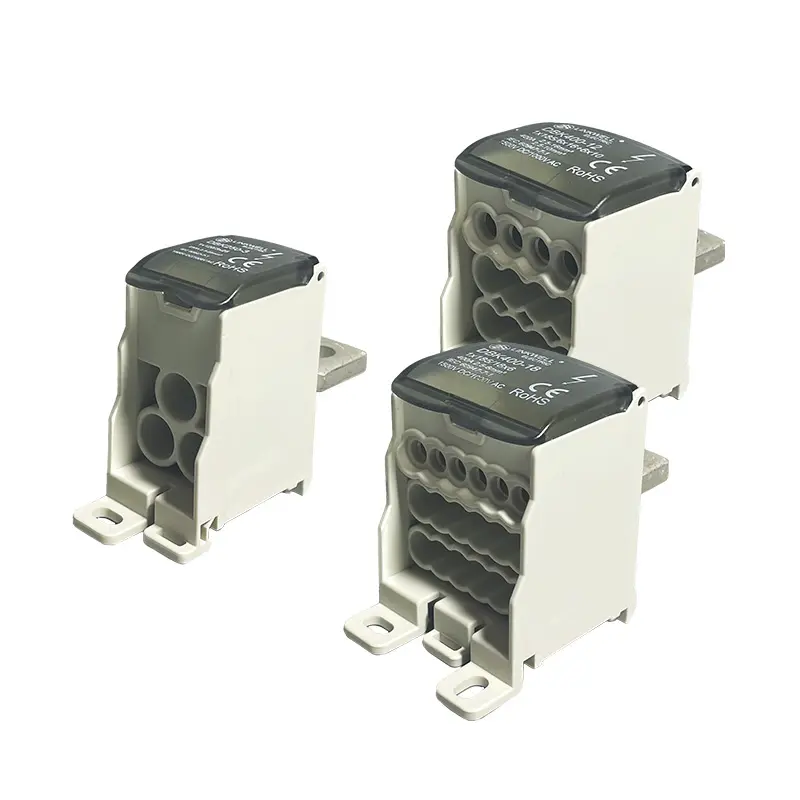
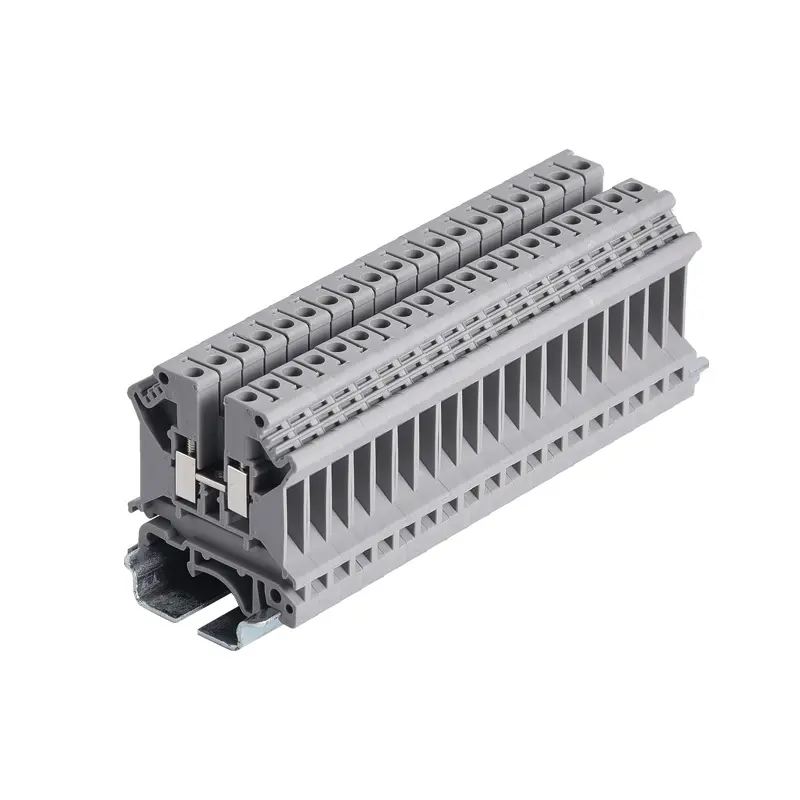
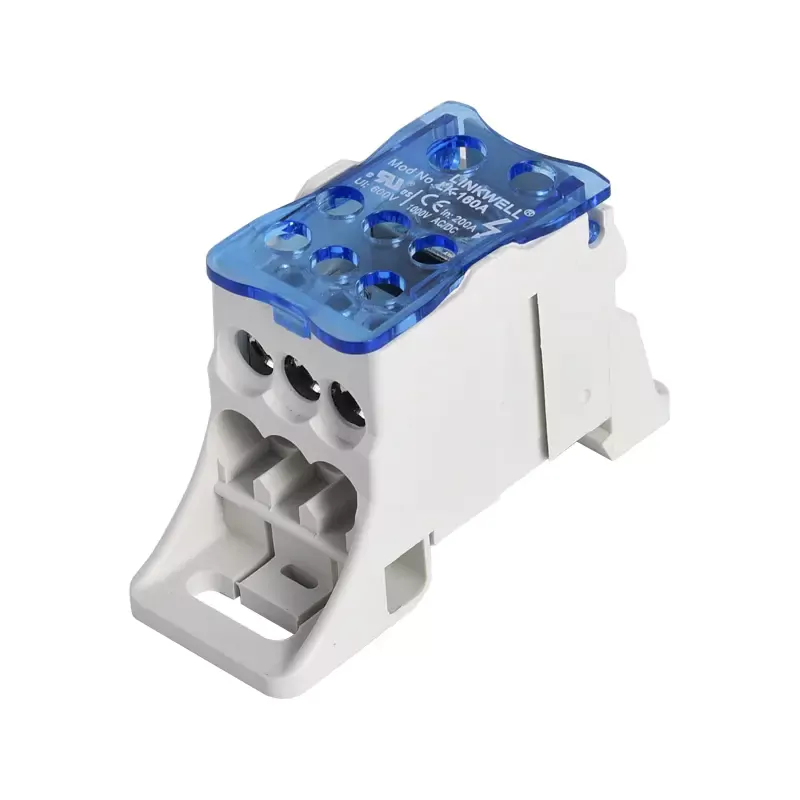
Next, you need to check the current rating. The current rating tells you how much power your terminal block can handle. If you use a block with a rating that is too low, your power supply could overheat or even fail. Always choose terminal block models that match or exceed your system’s needs. Here’s a table to help you see how current ratings fit different uses:
| Current Rating | Application Example | Safety Consideration |
|---|---|---|
| 2 amps | Small signal applications | Ensure compatibility with expected current |
| 10 amps | Low-power LED circuit | Consider a safety margin of 20-30% |
| 50 amps | Industrial motor controls | Check wire size and terminal design compatibility |
| 65 amps | High-power systems | Avoid exceeding the current rating to prevent hazards |

When you want to know how to use a terminal block, you also need to match the type of block to your power supply setup. Terminal blocks come in different types, like single-pole, multi-pole, and modular. Each type fits a different job. Here’s a quick guide:
| Pole Count | Description | Typical Applications |
|---|---|---|
| 1-pole | Single, individual connection point | Custom assembly, grounding connections |
| 2-pole | Two connection points in one unit | Single-phase power connections |
| 3-pole | Three connection points in one unit | Three-phase power systems, motor connections |
| 4-pole | Four connection points in one unit | Three-phase with neutral |
| Multi-pole | More than four connection points | Complex control panels, large distribution systems |
If you want to choose terminal block options for a complex power supply, you might need a multi-pole or modular design. For simple jobs, a single-pole block works well. Always match the block type to your wiring plan and the number of circuits you need to manage.
Linkwell Product Features
Now that you know how to use a terminal block safely, let’s look at what makes Linkwell’s products stand out. Linkwell’s Power Distribution Block and Screw Terminal both meet UL and CE standards. This means you get peace of mind for your power supply, whether you use them in a control panel, telecom cabinet, or industrial system.
Linkwell uses flame-retardant polycarbonate or nylon for the base. The conductors are made from brass or copper, which gives you strong conductivity and keeps your power supply stable. The corrosion-resistant coating helps the block last longer, even if you use it outdoors or in harsh environments.
You can use Linkwell’s distribution terminal blocks for both AC and DC circuits. The blocks come in single-pole, multi-pole, and modular types, so you can pick the right one for your power supply. The large connection area and stackable design make installation easy. You can mount them on DIN rails or panels, which gives you flexibility for your setup.
When you want to know how to use a power distribution terminal block, you need to think about safety, reliability, and future expansion. Linkwell’s products help you do all three. You get a secure connection for your power supply, and you can add more circuits later if your system grows.
Tip: Always double-check the current rating and certifications before you install any terminal block. This simple step protects your power supply and keeps your system running smoothly.
If you want to know how to use a terminal block in a way that keeps your power supply safe, start with the right product. Linkwell’s certified blocks give you the confidence to build, expand, and maintain your power supply with ease.
Step-by-Step Guide for Safe Installation

You want your power supply to run smoothly and safely. This step-by-step guide shows you how to use a power distribution terminal block for a secure connection every time. Let’s break down each part of the process so you can avoid mistakes and keep your electrical connections reliable.
Wire Preparation and Stripping
Before you connect anything, you need to prepare the wires. Start by choosing the right wire gauge for your power supply. Use a wire stripper to remove the insulation. The recommended stripping length for most distribution terminal blocks is between 6 and 10 mm. This length helps you get a proper connection and prevents poor contact or short circuits.
| Recommended Stripping Length | Importance |
|---|---|
| 6 to 10 mm | Ensures a secure and reliable connection, preventing poor contact and reducing the risk of short circuits or arcing. |
When you prepare the wires, make sure the exposed copper is clean and free of nicks. Damaged wires can cause weak electrical connections and affect your power supply. If you strip too much, you risk exposing bare wire outside the terminal block. If you strip too little, the wire may not make full contact inside the block.
Tip: Always double-check the stripping length before you insert wires into the terminal block. This simple step helps you avoid loose connections and keeps your power supply stable.
Secure Connections with Screw Terminals
Now you’re ready to insert wires into the terminal block. For a secure screw-in connection, push the stripped wire into the correct slot. Use a screwdriver to tighten the screw terminal. You want a snug fit, but don’t overtighten. Too much force can damage the wire or the terminal block.
Here’s a quick reference for recommended torque values:
| Screw Diameter | Recommended Torque (Nm) |
|---|---|
| M3 | 3.7 – 5.0 |
| M3.5 | 6.5 – 8.8 |
| M4 | 9.6 – 12.8 |
| M5 | 19.0 – 25.0 |
| M6 | 33.5 – 44.0 |
| M8 | 82.0 – 110.0 |

You can also use a secure plug-in connection for quick setups. Just insert wires into the terminal block and make sure they lock in place. Both screw-in connection and plug-in connection methods work well for distribution terminal blocks, but always follow the manufacturer’s instructions for your power supply.
Linkwell’s distribution terminal blocks use flame-retardant, heat-resistant materials like PA66 and copper alloy contacts. These materials help prevent fire hazards and keep your power supply safe, even in tough environments.
- Insulation material: PA66
- Flame retardant grade: UL94 V0
- Contact material: Copper alloy
Insulated terminal blocks use high-quality plastics and resins to stop electrical conductivity between wires and outside elements. This is important if your power supply faces moisture, chemicals, or physical contact. These non-conductive materials add a layer of safety and reliability to your electrical connections.
Note: Always use insulated distribution terminal blocks for outdoor or industrial power supply setups. You get better protection against short circuits and failures.
Safety Checks and Testing
After you finish the connections, you need to test the connection to make sure everything works. Use a multimeter or continuity tester to check for reliable electrical connections. If you see any loose wires, retighten the screw-in connection or plug-in connection.
Follow these best practices when you test the connection:
- Consult the manufacturer’s specifications for your terminal block.
- Use the right tools, like a multimeter and continuity tester.
- Record all test results for future reference.
You should also run a voltage-drop test to check for hidden problems. This test measures the voltage drop across each terminal block point. If the voltage drop stays within the specified limits, you know you have a secure connection.
| Method | Description |
|---|---|
| Voltage-drop test | This test measures the voltage drop across terminal points to assess contact resistance and quality. It involves applying a test current and ensuring the voltage drop remains within specified limits to confirm reliable connections. |
If you find a voltage drop that’s too high, you may have a loose wire or poor contact. Fix it right away to keep your power supply safe.
Insulated terminal blocks play a big role in safety. They use non-conductive materials with heat resistance and flame retardancy. This helps prevent electrical hazards and keeps your power supply running smoothly.
Safety Alert: Never skip the final test of the connection. A quick check can save your power supply from unexpected failures.
You now know how to use a power distribution terminal block for a secure connection. By following this step-by-step guide, you protect your power supply and make sure your electrical connections stay reliable.
Terminal Block Safety Precautions

Keeping your power supply safe means you need to follow some important steps every time you work with a terminal block. You want to avoid electrical hazards and make sure your connections stay reliable. Let’s look at the best ways to protect yourself and your equipment.
Personal Protective Equipment
Before you touch a terminal block, grab your personal protective equipment. Insulated gloves protect you from electric shock. Safety goggles keep your eyes safe from flying debris and arc flashes. You also want to use voltage-rated tools, like insulated screwdrivers, for high safety. Electricians wear these items every day to avoid electrical hazards and fire. Here’s a quick list of what you need:
- Insulated gloves for direct protection against electric shock
- Safety goggles to shield your eyes from arc flashes and debris
- Voltage-rated tools for high voltage protection
Tip: Rubber insulating gloves are essential for working with energized conductors. They help you avoid electrical hazards and keep your power supply secure.
Power Isolation Procedures
You never want to work on a live power supply. Isolate the power before you start. Follow these steps to keep your connections safe:
- Put on your PPE before you begin.
- Identify the isolation point for your power supply.
- Use lockout tagout (LOTO) procedures to secure the equipment.
- Switch off the supply or circuit.
- Lock off the isolation means and display a warning notice.
- Use a voltage tester to confirm the terminal block is not live.
- Discharge capacitors or remove batteries to prevent excessive heat build-up.
Safety Alert: Always verify that all sources of electrical energy are removed before you touch any connections.
Inspecting for Damage
Check your terminal block for signs of wear or damage before you connect anything. Look for cracks, corrosion, or loose parts. Corrosion-resistant coatings on Linkwell’s products protect your power supply from moisture and salt spray, especially outdoors. This safety feature helps maintain energy efficiency and safety and optimal performance. If you see any damage, replace the block right away. Reliable connections prevent electrical hazards and keep your power supply running smoothly.
| Inspection Step | What to Look For | Why It Matters |
|---|---|---|
| Visual check | Cracks, discoloration, corrosion | Prevents electrical hazards |
| Physical check | Loose screws, damaged insulation | Ensures safety and optimal performance |
| Environmental check | Signs of moisture or salt spray | Maintains energy efficiency |
Note: Linkwell’s terminal blocks are built for durability and outdoor use. Corrosion-resistant coatings help them last longer and keep your power supply safe.
Troubleshooting and Common Mistakes
Avoiding Loose Connections
Loose connections can sneak up on you and cause big problems with your power supply. If you don’t tighten the screws on your terminal block, you risk energy loss and even electrical hazards. In fact, loose connections can waste up to 20% of the energy in motors and other equipment. You might not notice right away, but over time, these weak connections can cost you thousands in maintenance. To avoid this, always select the right distribution terminal blocks for your wire size and current needs. Strip your wires to the correct length, crimp ferrules on stranded wires, and use a calibrated torque tool when tightening screws. After you finish, gently pull each wire to check for tightness. If a wire slips out, fix it before you move on. This simple habit keeps your power supply stable and safe.
Tip: Always check every connection before you close up your panel. A quick tug test can save you from future headaches.
Preventing Overloads
Overloads can shorten the life of your distribution terminal blocks and put your power supply at risk. If you ignore the electrical ratings, you might see overheating, insulation damage, or even fire hazards. To keep your system safe, pick a terminal block rated for at least 150% of your highest current. This extra margin helps prevent damage and keeps your connections secure. Circuit breakers and fuses also play a big role in safety by stopping excessive current flow. If you notice any signs of overheating, like melted insulation or a burning smell, shut down your power supply and inspect your connections right away.
| Problem | Solution |
|---|---|
| Overheating | Use blocks with higher current ratings |
| Insulation damage | Install circuit breakers and fuses |
| Fire hazard | Monitor temperature and replace damaged parts |
Reliable Operation Checks
You want your power supply to run smoothly year after year. Regular maintenance is the key to reliable connections and safety. Every three years, inspect your distribution terminal blocks for poor contact, corrosion, looseness, overheating, and mechanical damage. Clean the contact surfaces, tighten any loose terminals, and use anti-corrosion oil if needed. Replace damaged blocks with the same specifications. If your environment has lots of moisture or dust, check your terminal block more often. For critical equipment, don’t wait—test and maintain your connections regularly. Monitoring the temperature of your power supply helps you spot problems before they get serious.
Note: Preventive maintenance saves money and keeps your power supply safe. Don’t skip these checks if you want long-lasting, reliable connections.
You want your power supply to stay safe and reliable. Start by disconnecting your power supply before you touch any terminal block. Use insulated tools and check every connection. Certified products like Linkwell’s Power Distribution Block and Screw Terminal help you organize your power supply and prevent wiring errors. Here’s a quick table to keep your power supply on track:
| Key Step | Why It Matters for Your Power Supply |
|---|---|
| Disconnect power supply | Prevents shock and protects your power supply |
| Use insulated tools | Keeps your power supply safe |
| Tighten connections | Stops power supply failures |
| Modular design | Lets your power supply grow |
| Finger-safe protection | Shields your power supply from accidents |
Keep your power supply running by following these tips:
- Test your power supply connections after every installation.
- Inspect your terminal block for damage before you use your power supply.
- Ask a professional if your power supply setup feels complex.
Proper installation of your terminal block means your power supply will work safely and last longer.
FAQ
How do you choose the right terminal block for your power supply?
You want to match the terminal block to your power supply’s voltage and current needs. Always check certifications and ratings. If you plan to expand your power supply, pick a modular terminal block for easy upgrades.
Can you use a terminal block outdoors with your power supply?
Yes, you can use a terminal block outdoors if it has a corrosion-resistant coating. Linkwell’s products work well for outdoor power supply setups. Always inspect your terminal block for damage before connecting your power supply.
What happens if your power supply overloads the terminal block?
If your power supply overloads the terminal block, you risk overheating and fire. Always select a terminal block rated for at least 150% of your power supply’s maximum current. This keeps your power supply safe and reliable.
How often should you inspect your terminal block and power supply?
You should inspect your terminal block and power supply every three years. If your power supply runs in harsh conditions, check more often. Look for loose connections, corrosion, and signs of overheating to keep your power supply running smoothly.
Can you connect multiple wires from your power supply to one terminal block?
You can connect multiple wires from your power supply to a multi-pole terminal block. Make sure each wire fits the terminal block’s rated capacity. This helps your power supply stay organized and prevents wiring errors.


